Check-in and walk-around inspections
The check-in is where most comebacks and arguments start. ShopJig makes it quick to do properly on a phone or iPad in the lot, and keeps the record on the job.
What it does
Check-in & inspections, in plain terms
Customer and vehicle
Pick the customer or add a new one, then add the vehicle. Scan or type the VIN and ShopJig decodes the year, make and model.
The concern, in their words
Write down what the customer says is wrong or what they want done, before anyone touches the vehicle.
Walk-around checklist with photos
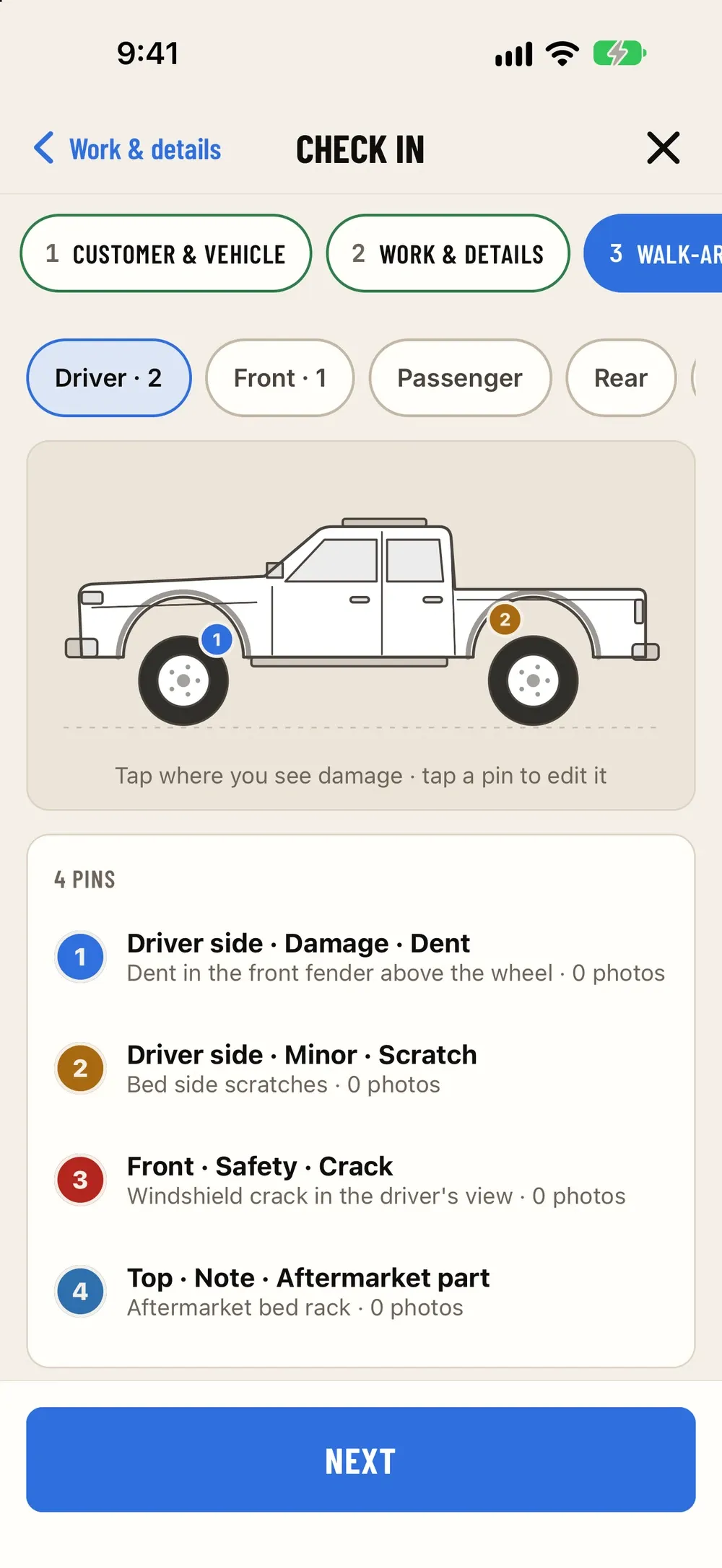
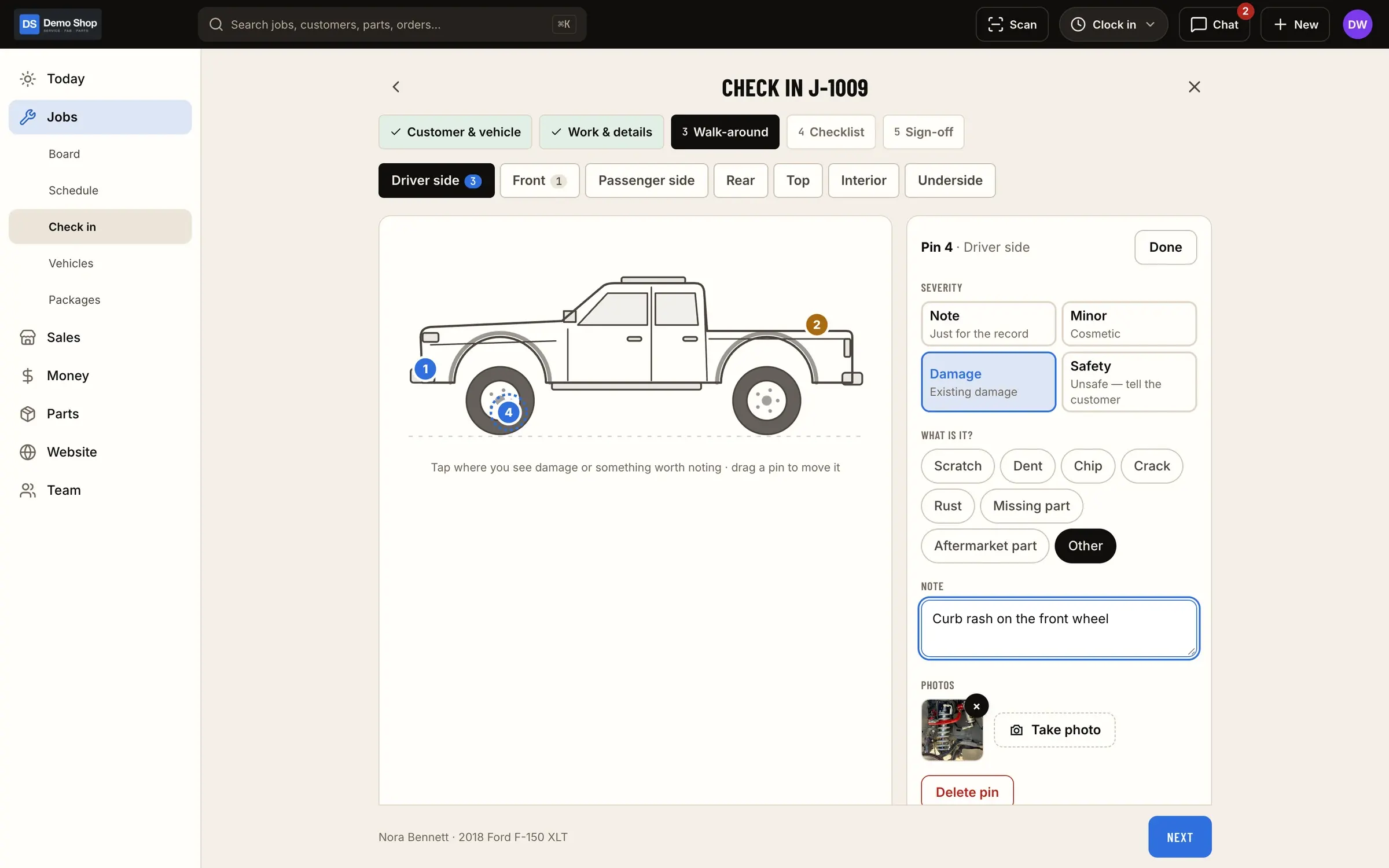
Work through the walk-around and take photos of existing damage, mods and anything worth noting.
Customer signature
The customer signs on the screen. The signed check-in stays on the job.
Drafts that don't get lost
Check-in drafts are saved on the device as you go, so a weak signal in the lot doesn't wipe a half-done inspection.
Screens
How it fits the flow
How it fits the flow
- Quote
- Check-in (this module)
- Job
- Fab
- Invoice
- Books
Where it sits in the flow
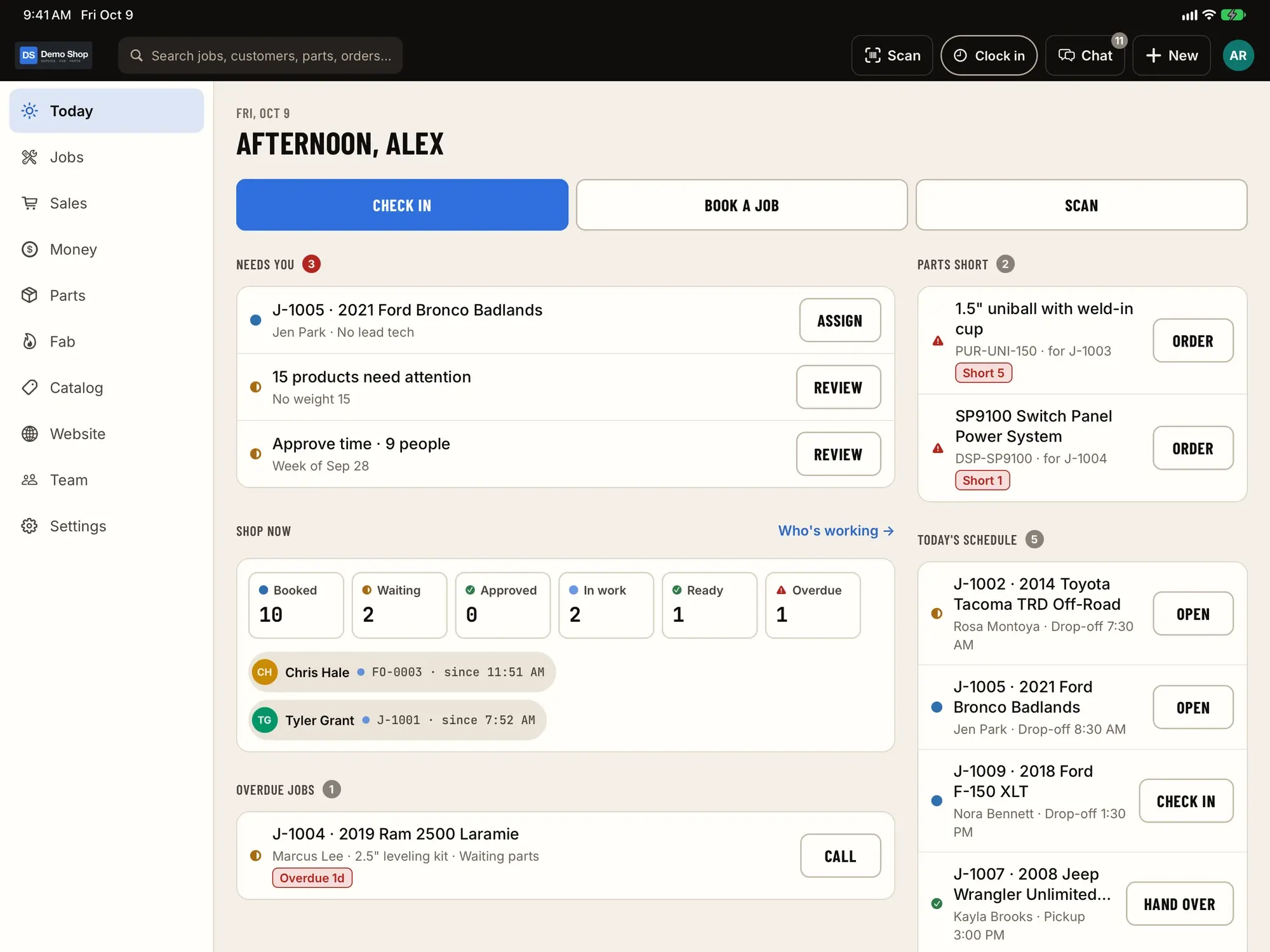
Check-in comes right after the quote and the appointment. When the customer drops off, the check-in attaches the vehicle, the concern, the walk-around photos and the signature to the job, which moves from scheduled to checked in on the board.
From there the tech has everything they need on the job, and if there’s ever a question about a scratch that was “definitely not there before”, the photos and the signature are on the record.
Questions
Do I need special hardware?
No. An iPhone or iPad camera handles VIN scanning and photos. Bluetooth or USB barcode scanners work too.
Can the office start a check-in and the tech finish it?
Check-ins live on the job, so anyone with access can pick it up on the web or in the app.
What happens if the connection drops halfway through?
The draft is kept on the device and you carry on. It's saved to the job once you're connected.
Works with
Jobs & board
Every job on one board, from scheduled to ready, with appointments, standard job packages, customer approval by link and a proper hand-over at pickup.
Learn moreScanning & labels
Scan VINs and barcodes with the camera or a Bluetooth/USB scanner, and print part, bin and 4×6 shipping labels from the phone or the web.
Learn moreiPhone & iPad app
The same features as the web admin, on iPhone and iPad: scanning, check-in, time clock, kiosk, chat.
Learn moreEarly access
Become a founding shop
We're opening ShopJig to a small group of founding shops. You get a walkthrough on your own kind of work, hands-on help getting set up, and a direct line to the people building it. Pricing isn't public yet.