Jobs, schedule and the shop board
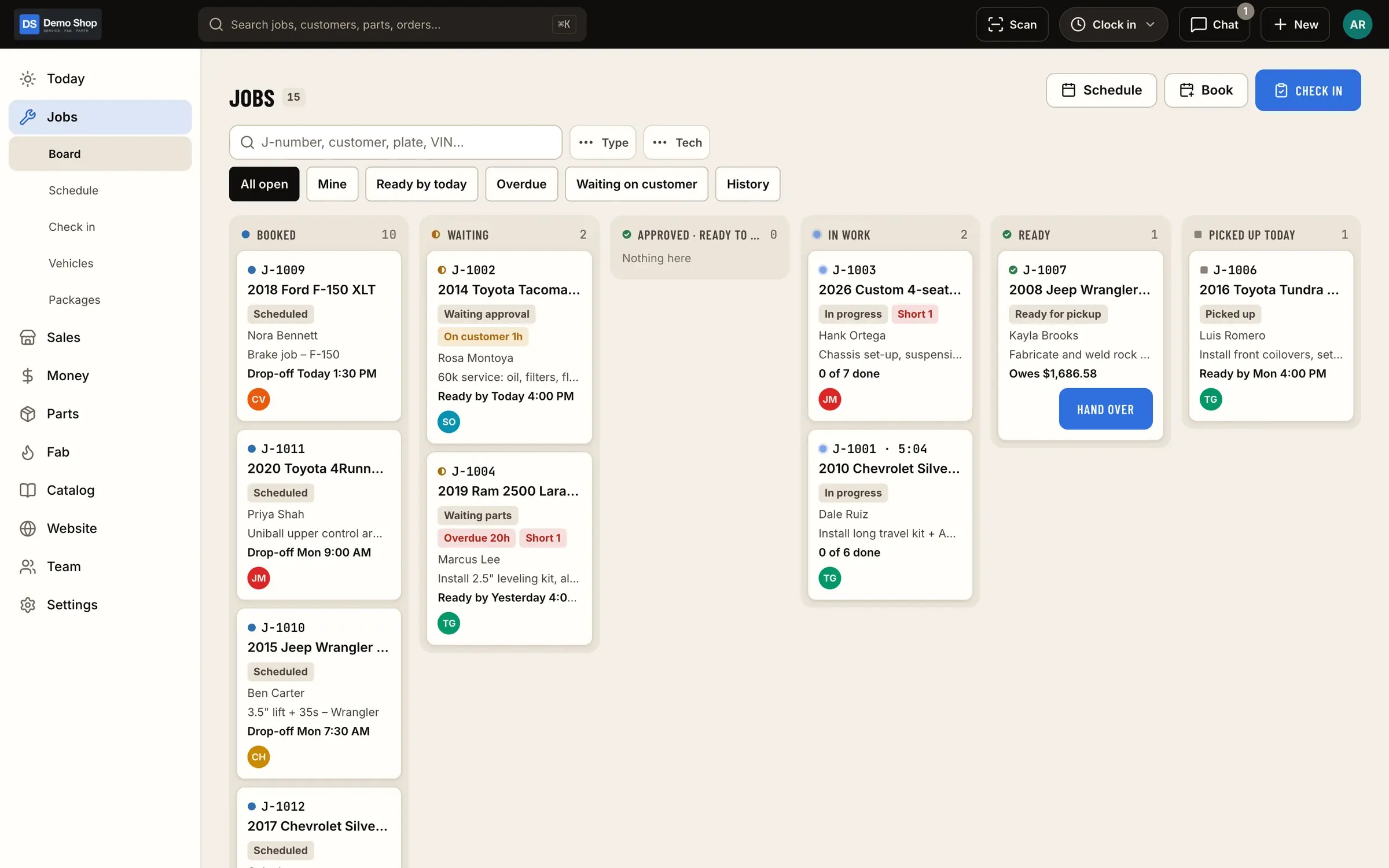
Every job in the shop sits on one board, in the stage it's actually in. The office books it, the floor works it, the customer approves it from a link, and nobody has to walk out back to ask where a truck is at.
What it does
Jobs & board, in plain terms
A board that matches the floor
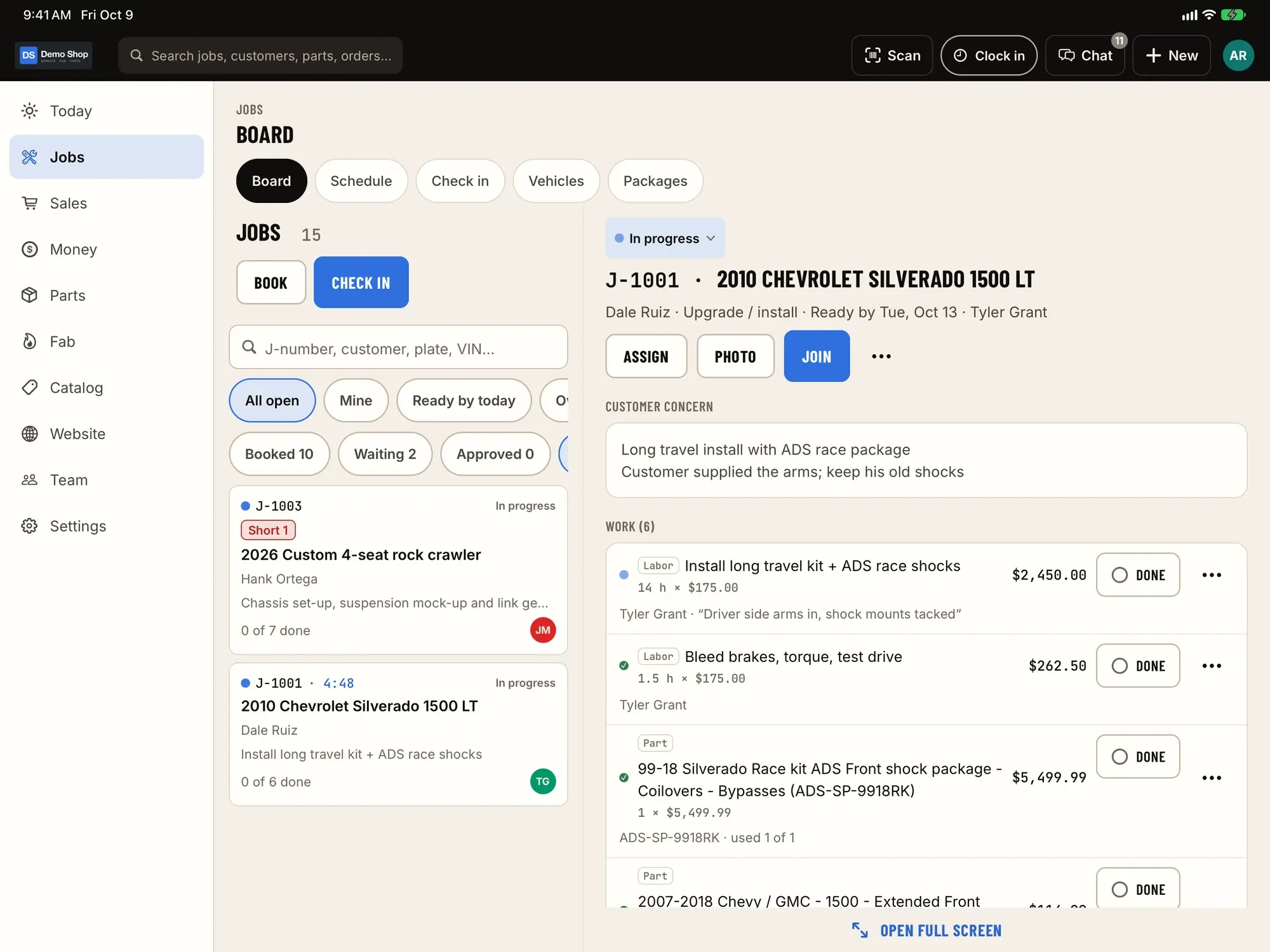
Scheduled, checked in, in progress, waiting on parts, ready. Jobs move as the work moves, on the web and on the iPad by the bays.
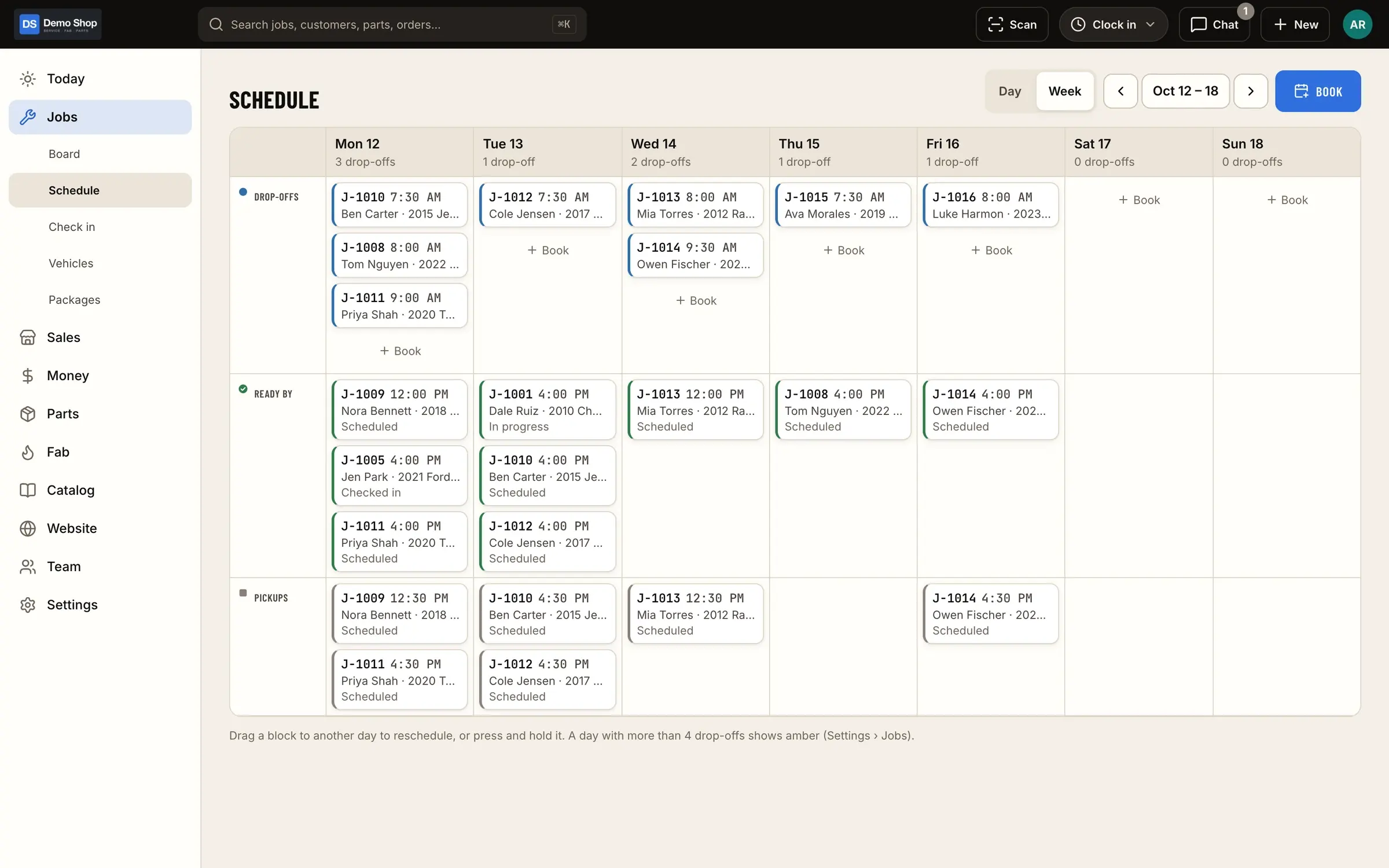
Appointments and the schedule
Book drop-offs and work on the shop calendar so you can see the week before it shows up in the lot.
Standard job packages
Save the jobs you do over and over, with their labor and parts, and drop them onto an estimate in one go.
Customer approval by link
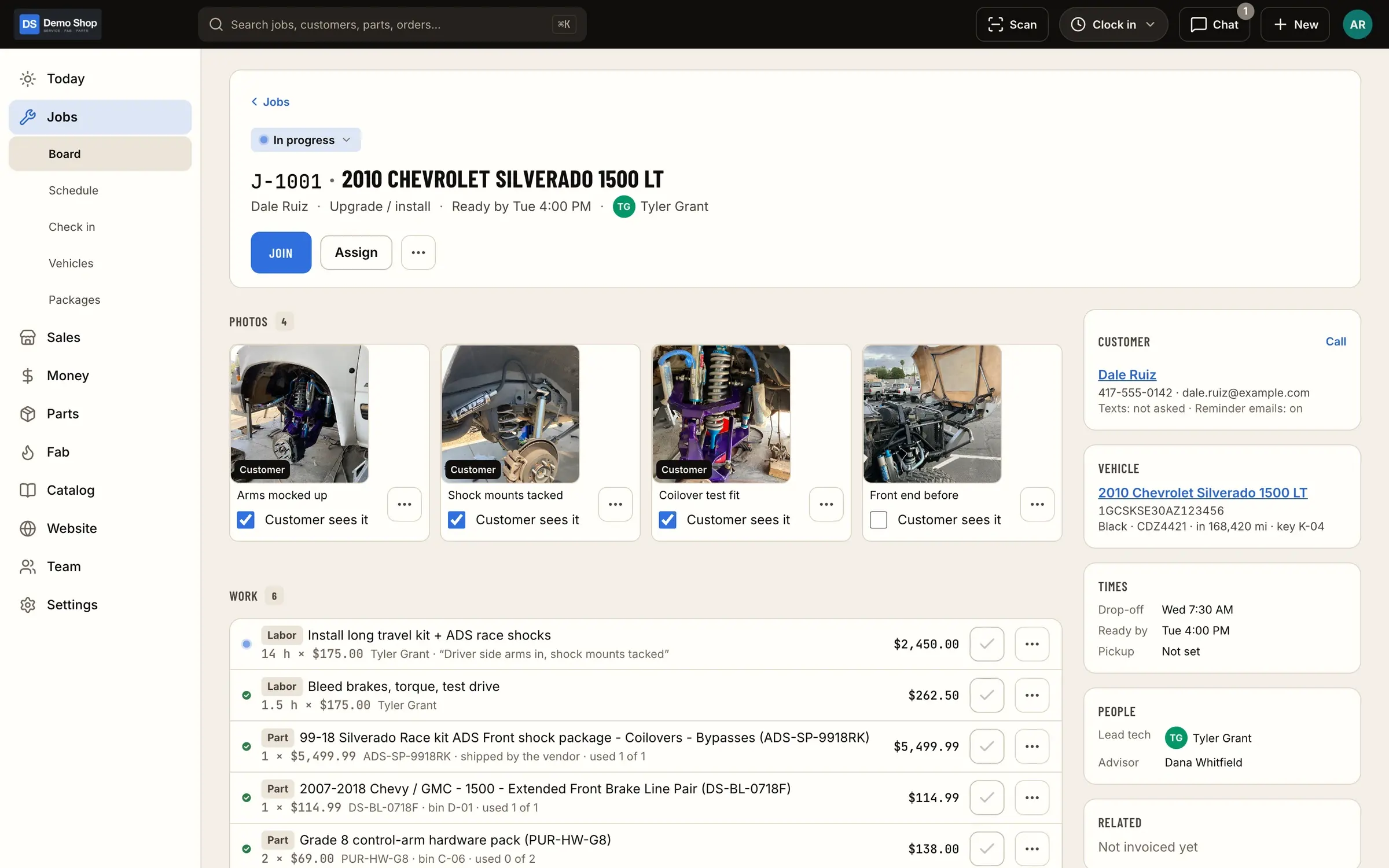
Send the estimate; the customer approves it from a link or in their customer portal. The approval is recorded on the job.
Everything about the job in one place
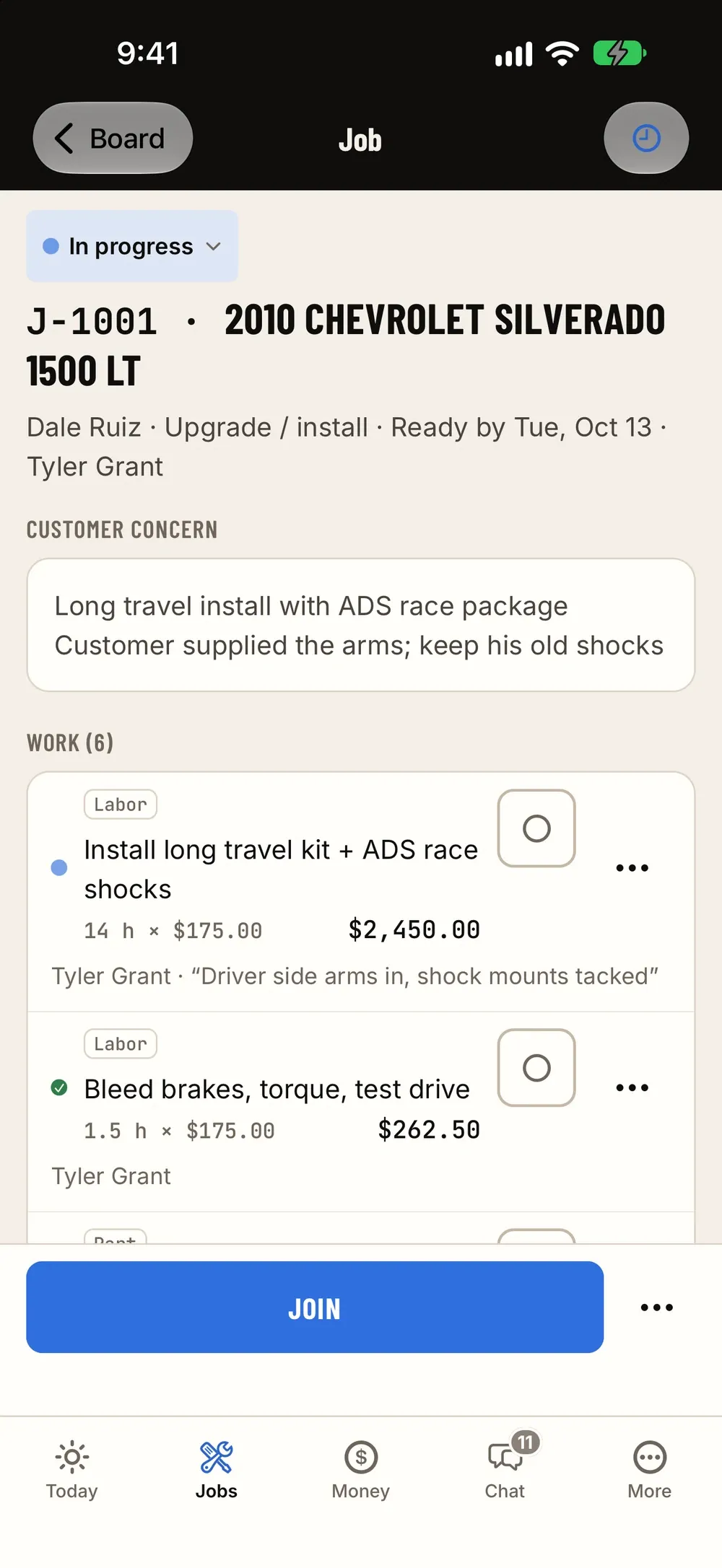
Vehicle, concern, inspection photos, estimate, parts, time, notes and the job's chat thread live on the job, not in five places.
Hand-over at pickup
When the job is ready, hand it over properly at pickup and close it out with the invoice and payment.
Screens
How it fits the flow
How it fits the flow
- Quote (this module)
- Check-in
- Job (this module)
- Fab
- Invoice
- Books
Where it sits in the flow
The job is the spine of ShopJig. An estimate or instant quote turns into a job once the customer approves it. Check-in attaches the vehicle, the concern and the walk-around to that job. Parts get pulled or ordered against it, fab orders build the custom pieces for it, and time is clocked to it. When it’s ready, the job becomes an invoice, the customer pays, and the day’s numbers flow on to QuickBooks.
Because everything hangs off the job, the answer to “what’s going on with that truck?” is one tap away for anyone who has permission to see it.
Questions
Can I change the stages?
The board is built around the stages a working shop uses (scheduled, checked in, in progress, waiting on parts, ready). Tell us how your shop runs during the walkthrough and we'll show you how it fits.
Do customers need an account to approve an estimate?
No. They can approve from the link you send. Customers who want to see their history can use the customer portal.
Can techs see the board on the floor?
Yes. The iPhone and iPad app has the same jobs and board as the web admin, so a shared iPad by the bays works as the shop board.
Works with
Check-in & inspections
Check vehicles in properly: customer, vehicle with VIN decode, the concern, a walk-around checklist with photos and the customer's signature, with drafts that survive a dropped connection.
Learn moreParts & inventory
A costed stock ledger with stock by location, counts and reorder points, a "What do we need?" list, purchase orders and receiving, supplier price lists and drop ship.
Learn moreEstimates, invoices & payments
Estimates, invoices, counter payments, Stripe pay links and online checkout, card surcharging rules, deposits, credits and refunds, expenses with receipts, and reports with profit and margins.
Learn moreEarly access
Become a founding shop
We're opening ShopJig to a small group of founding shops. You get a walkthrough on your own kind of work, hands-on help getting set up, and a direct line to the people building it. Pricing isn't public yet.