Module · Instant quoting
Drop in a DXF. Get a price.
For shops that cut and bend sheet. Customers upload DXF or STEP files on your website and get an instant laser-cutting and press-brake price, from the materials, rates, quantity breaks and minimums your shop sets.
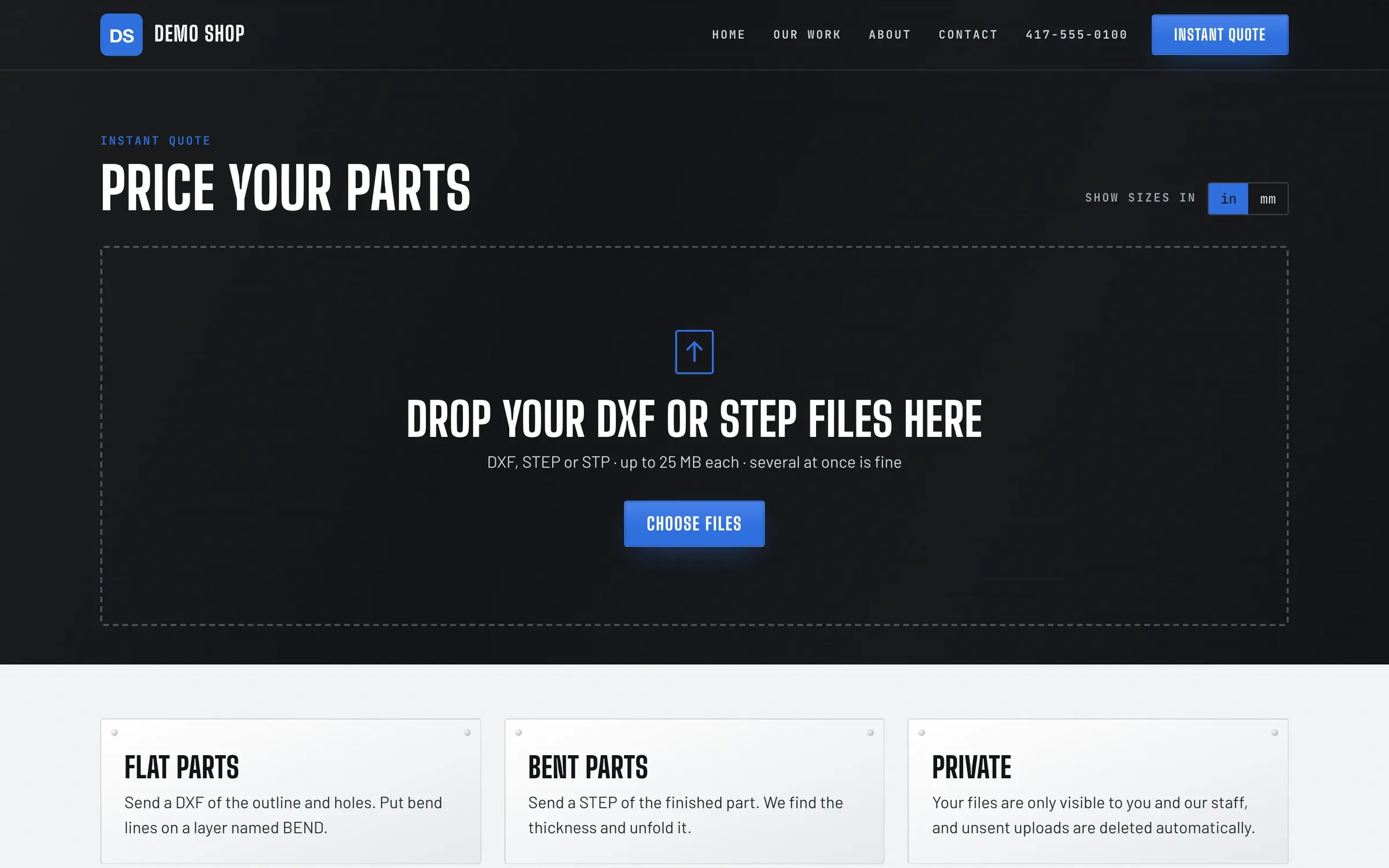
Interactive example
Upload → price, step by step
Pick a sample part, then change the material, thickness and quantity. On your site, customers upload their own files.
Example rates for illustration only. Every shop sets its own.
Step 2 · Choose
Material & quantity
1 to 500 parts.
Step 3 · Price
Per part-
Total-
How it adds up (per part)
- Material
- -
- Laser cutting
- -
- Pierces
- -
- Bends
- -
- Handling
- -
- Quantity break
- -
- Setup (shared)
- -
Quantity breaks
| Qty | Per part |
|---|
The real thing
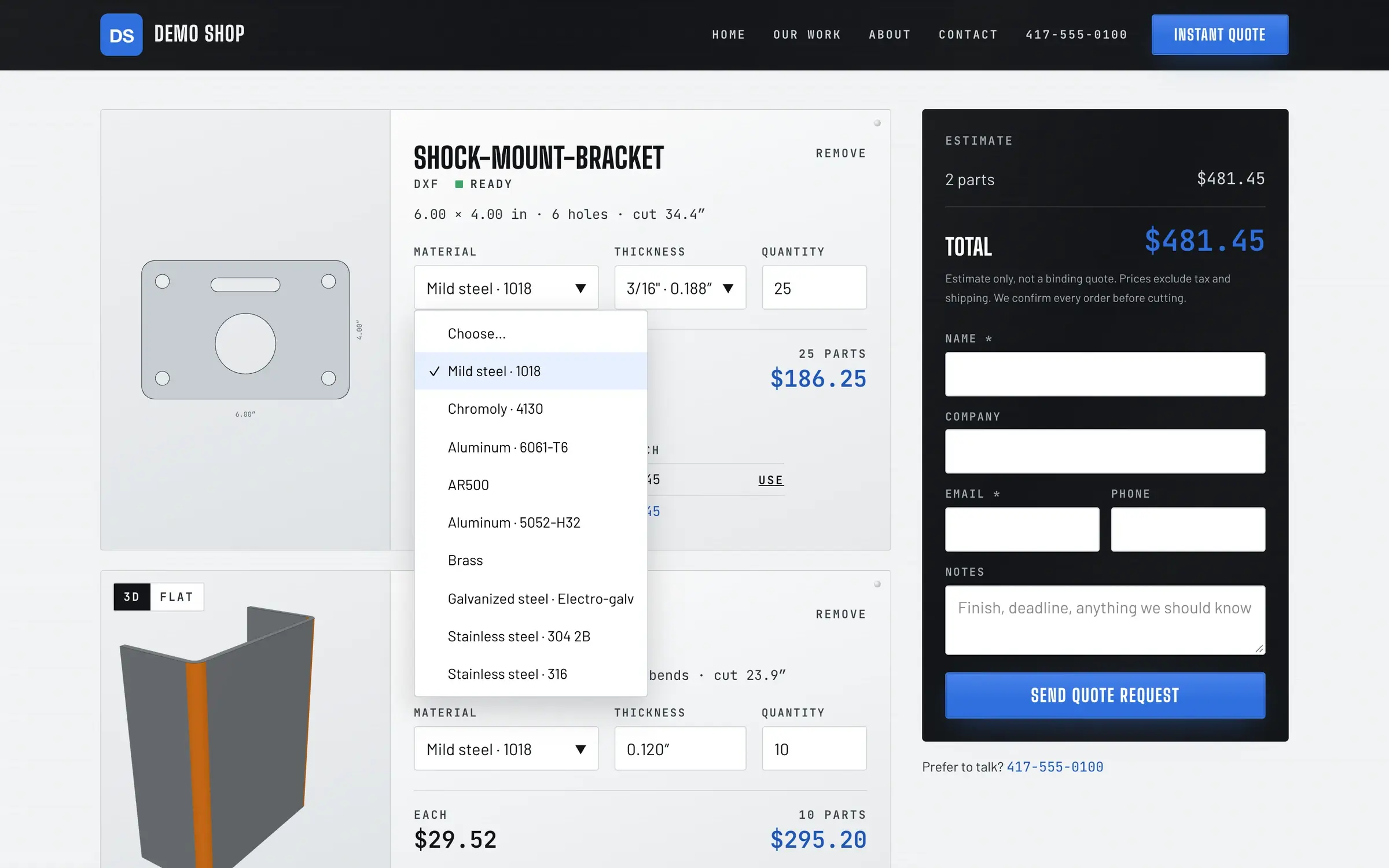
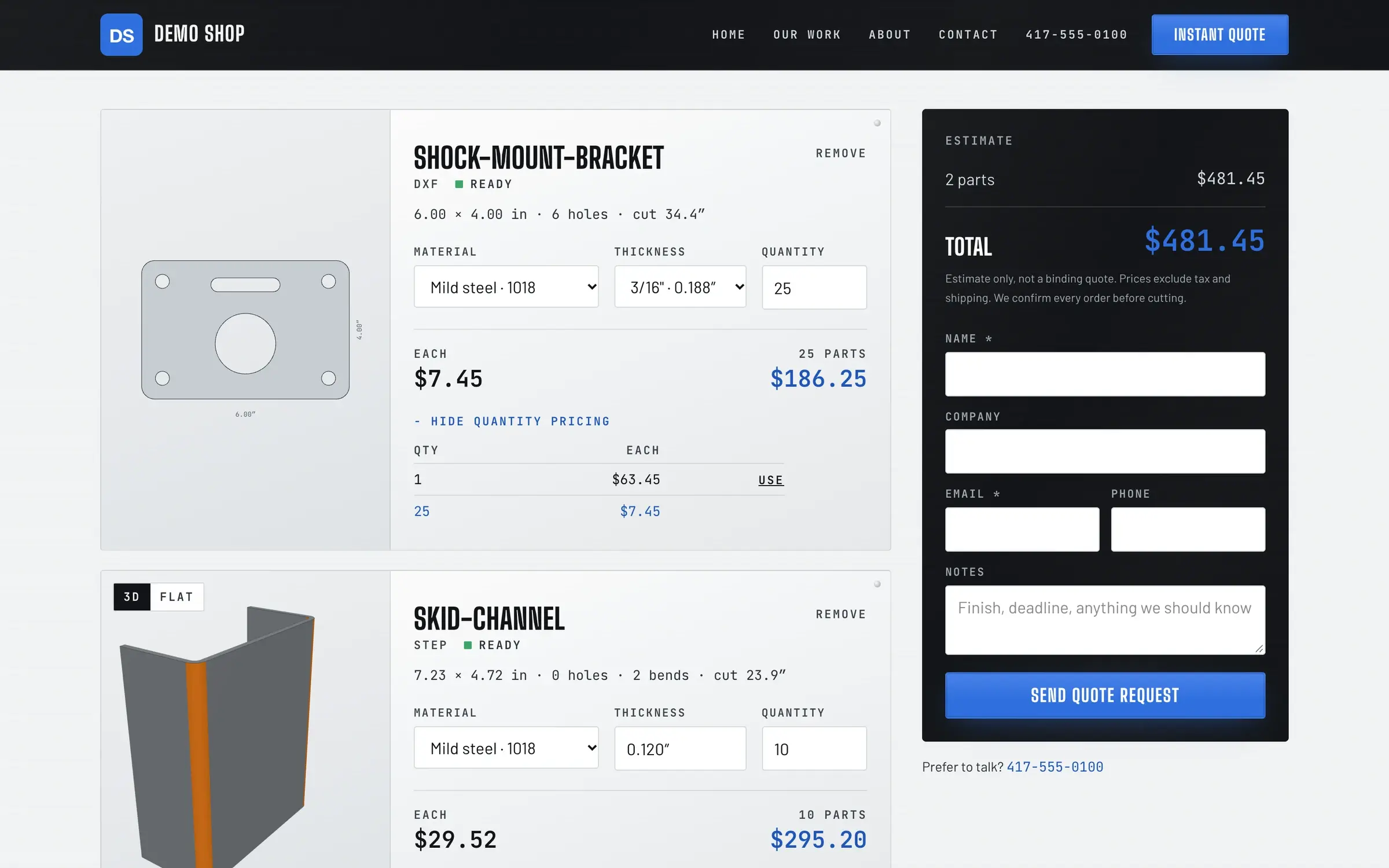
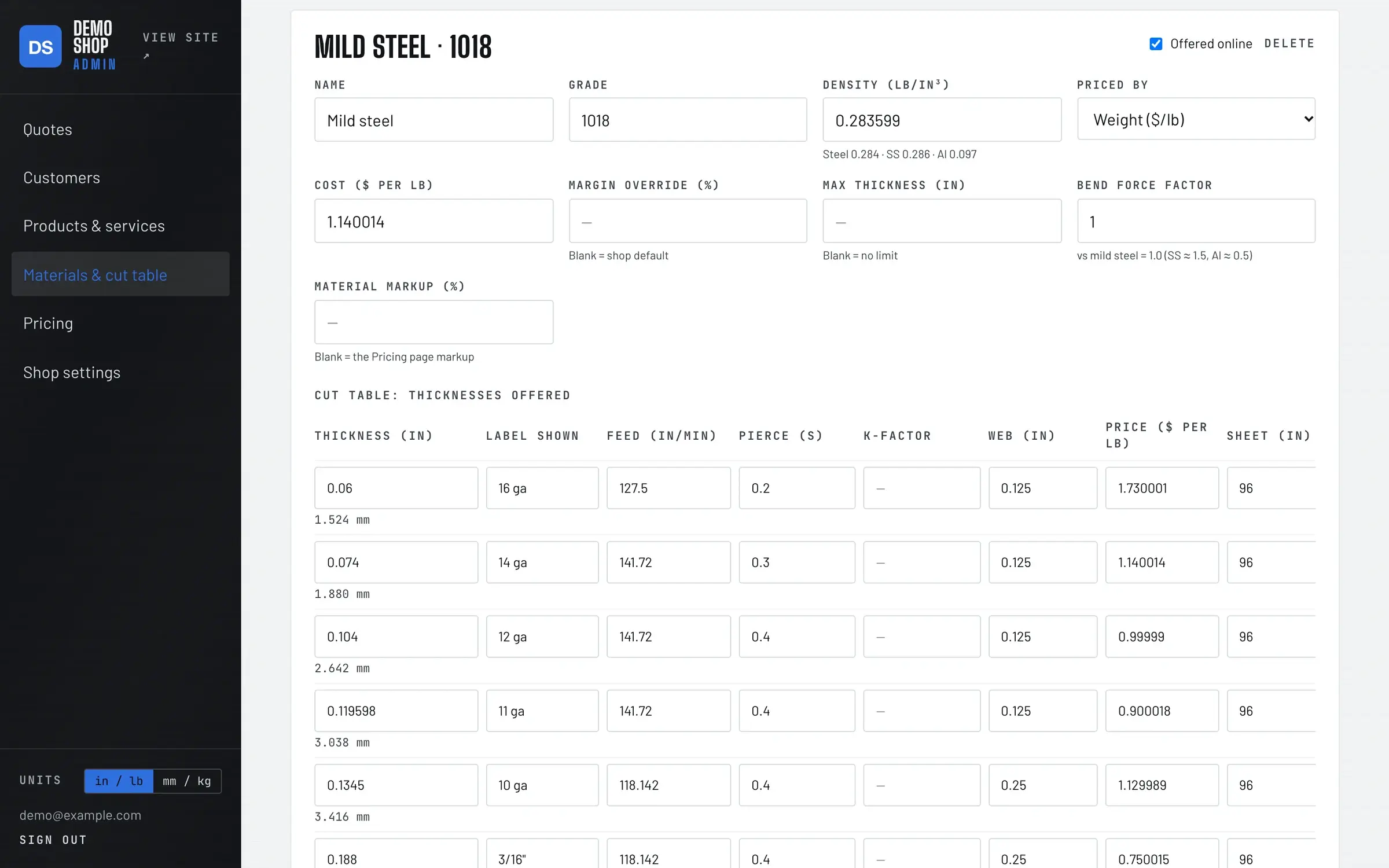
The shop's controls
Your rates. Your minimums.
- Materials & thicknesses. What you stock, and what each costs.
- Machine rates & setup. Laser and press brake, including brake setup shared across parts with the same bend.
- Margins. A global margin, with per-material overrides.
- Quantity breaks. How price per part drops as quantity goes up.
- Minimum order. Applied to the quote total, so small jobs still pay their way.
- Inches or millimetres. Customers see their own units; the shop works in its own.
Questions
What files can customers upload?
DXF and STEP files.
Who sets the prices?
The shop. Materials and thicknesses, machine rates, setup, margins, quantity breaks and the minimum order are all set in the admin.
Are the numbers on this page real?
No. The example above uses made-up rates so you can see how a price is put together. Your quotes use your shop's rates.
Is instant quoting part of ShopJig?
It's a module, from ShopJig's sister laser-cutting project, for shops that cut and bend sheet. Ask about it when you request early access.
Early access
Quote cut-and-bend work while you sleep
Founding shops that cut and bend sheet can get instant quoting set up with their own materials and rates. Tell us what you run.