Estimates, invoices and getting paid
Quote it, invoice it, get paid and see what you made, in the same system that ran the job.
What it does
Estimates, invoices & payments, in plain terms
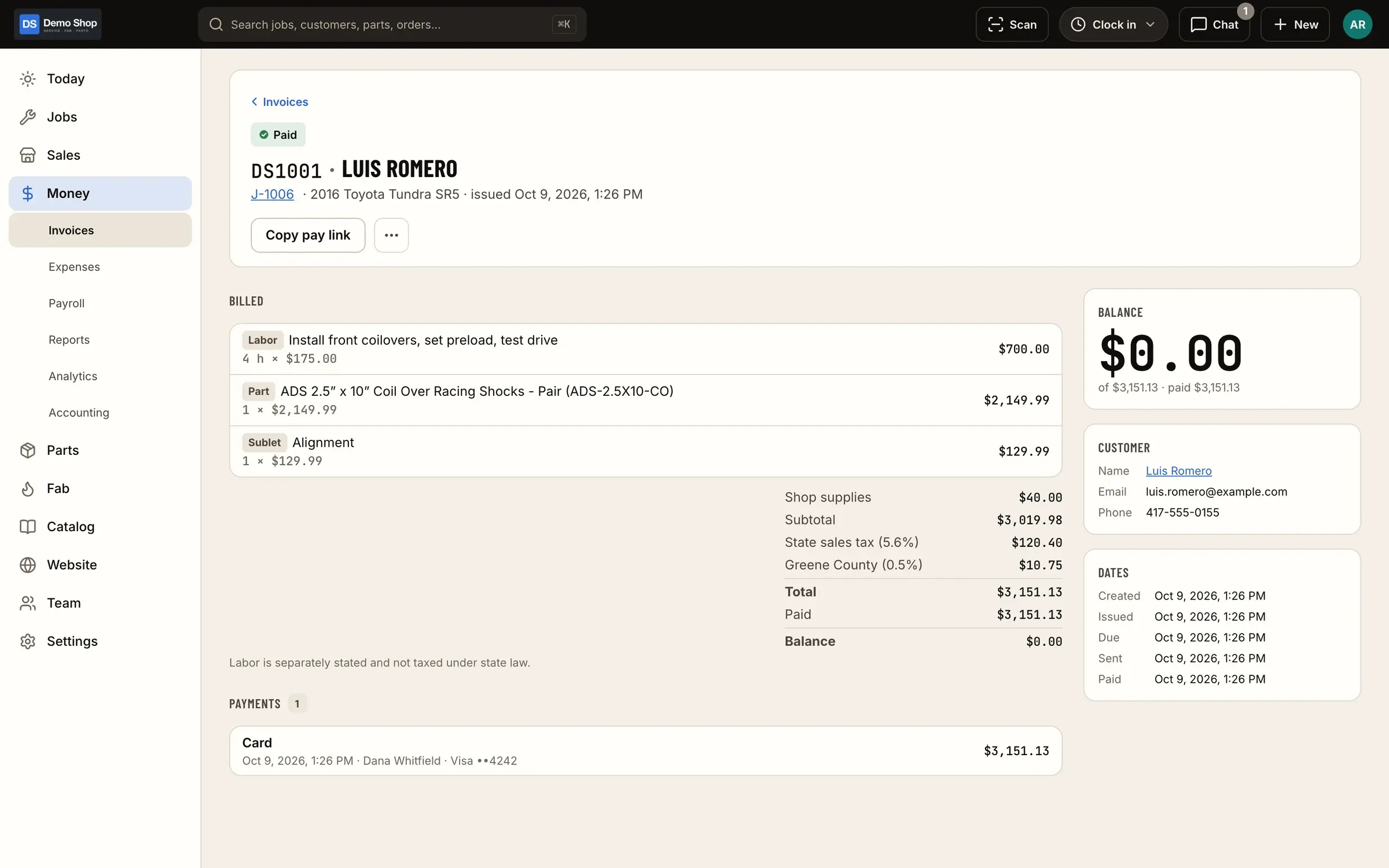
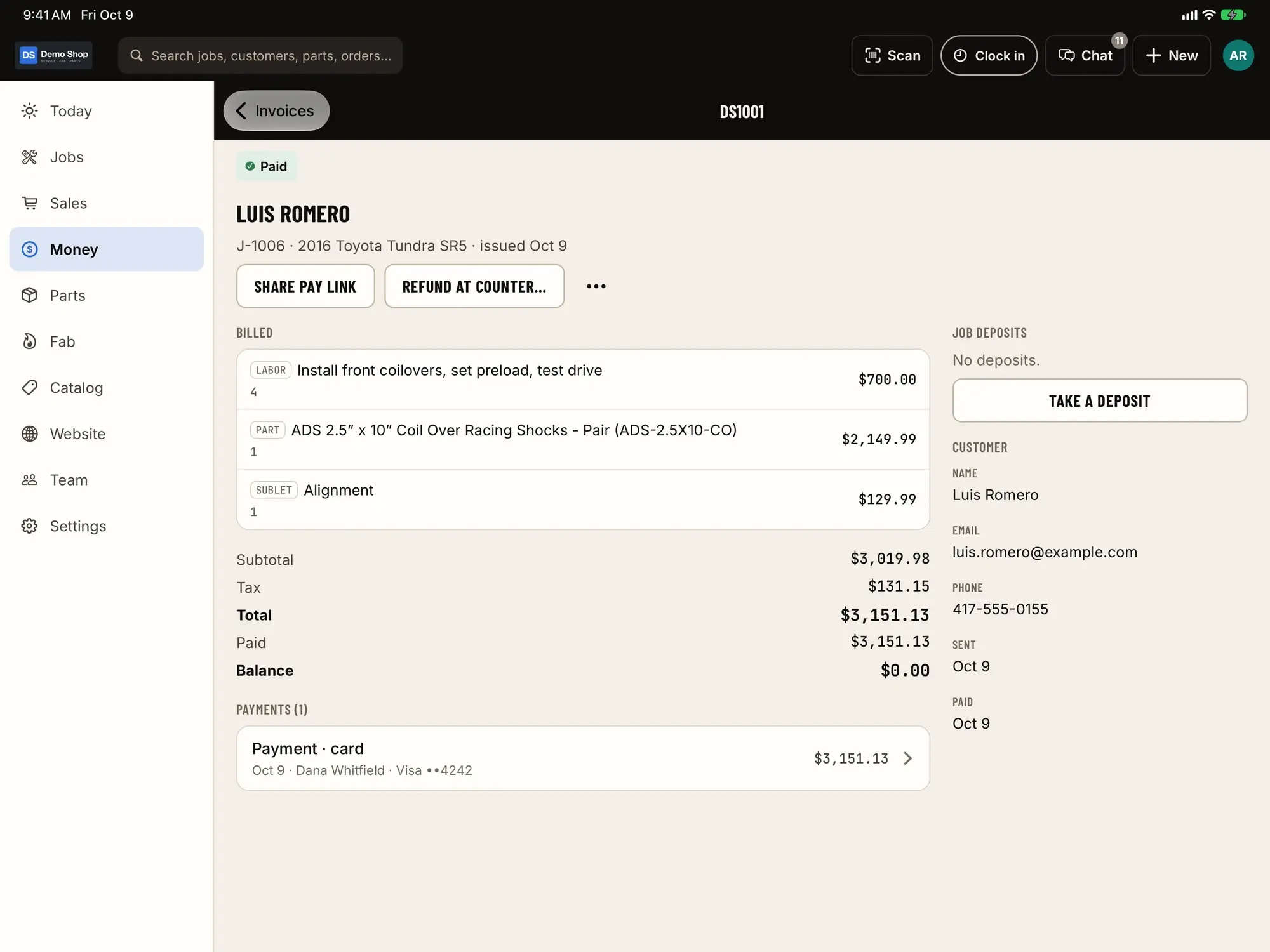
Estimates and invoices
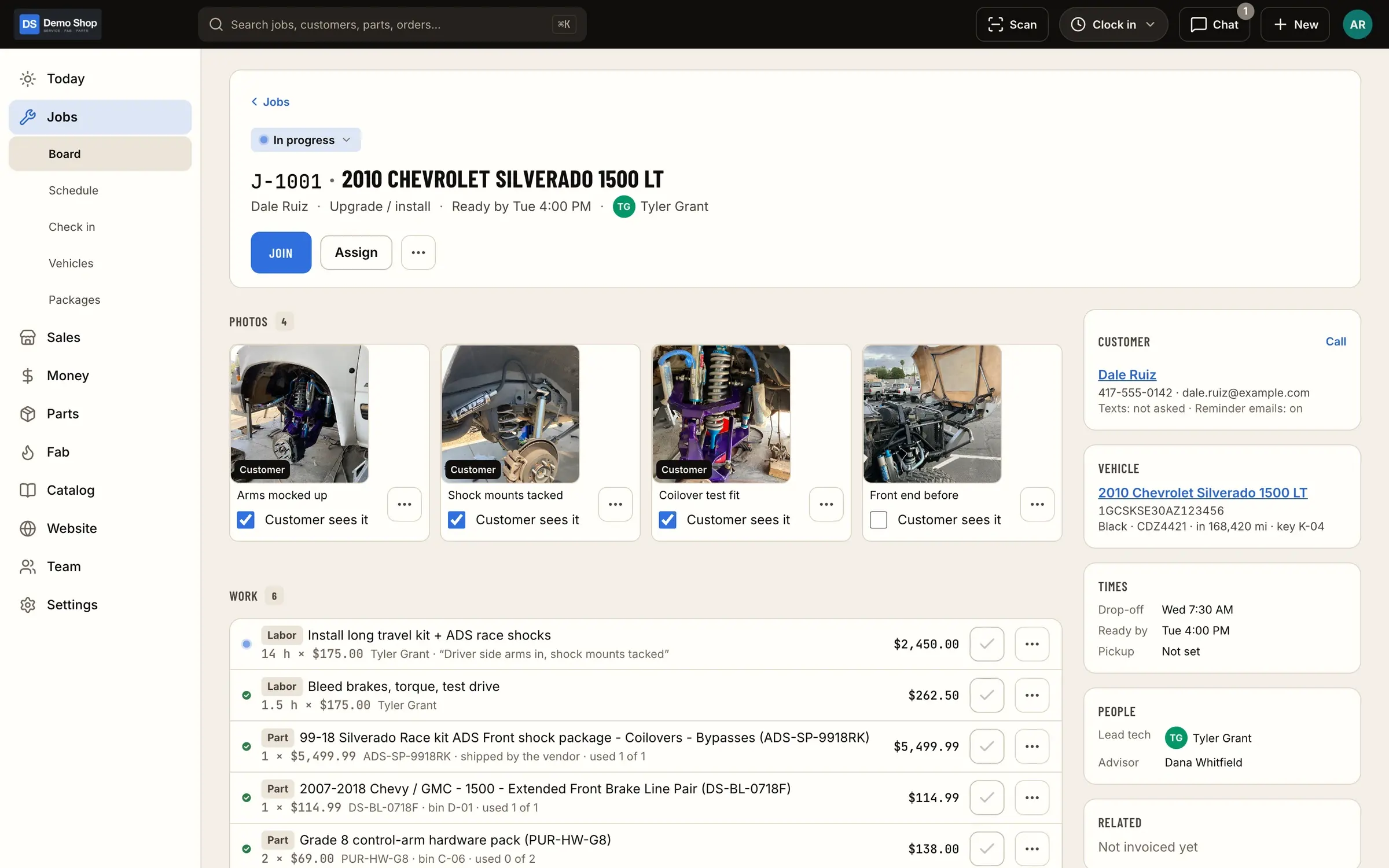
Build estimates from parts, labor and standard job packages. When the work's done, the job becomes the invoice.
Counter payments
Take payment at the counter and record it against the invoice.
Stripe pay links and online checkout
Send a pay link with the invoice, and take payments through your online store's checkout.
Card surcharging rules
Set card surcharge rules for your shop, applied consistently instead of by memory.
Deposits, credits and refunds
Take a deposit up front, apply it to the invoice, and handle credits and refunds properly.
Expenses with receipts
Record shop expenses and keep the receipt photo with them.
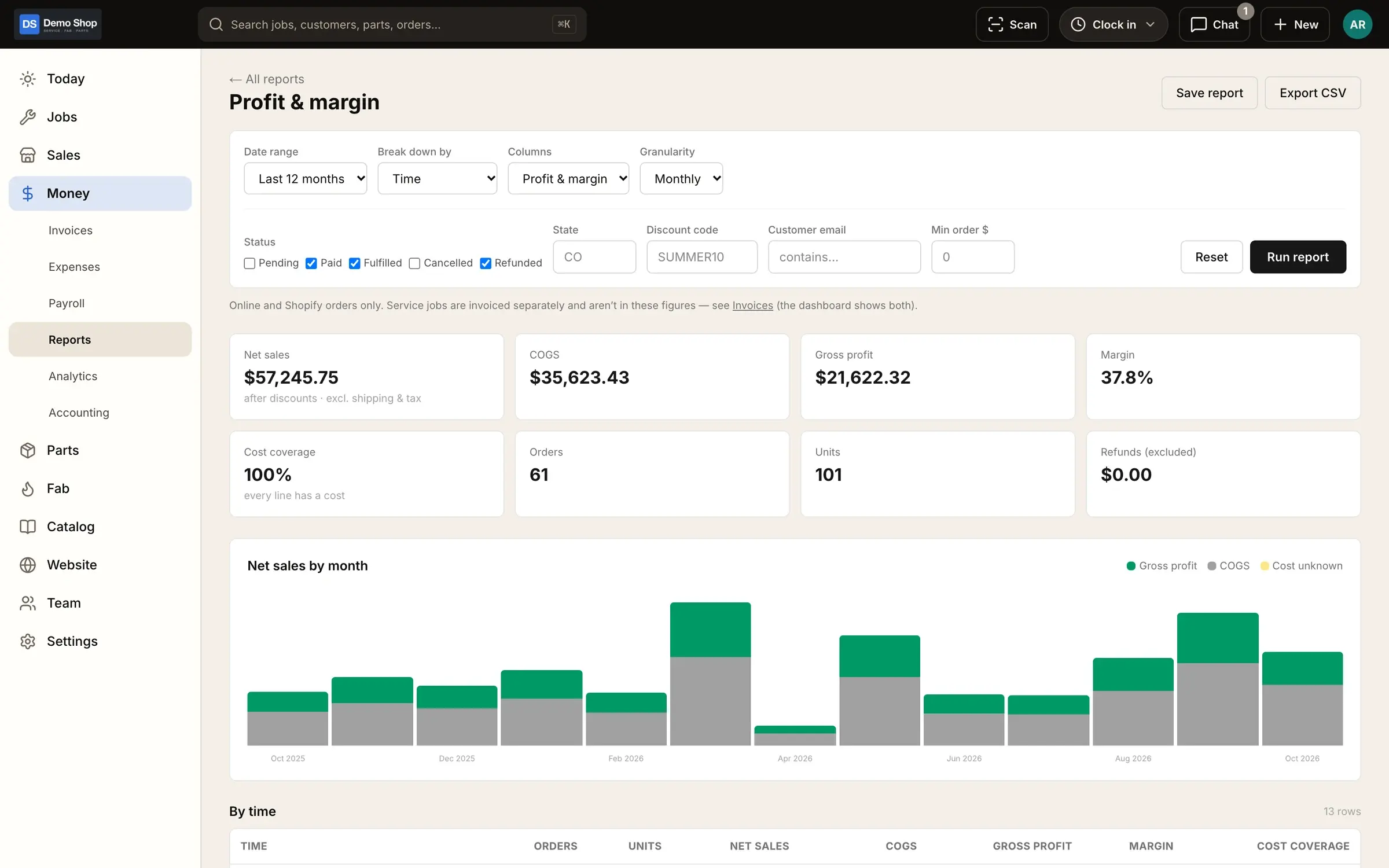
Reports, profit and margins
See revenue, costs and margins by job and over time, from real costs.
Screens
How it fits the flow
How it fits the flow
- Quote (this module)
- Check-in
- Job
- Fab
- Invoice (this module)
- Books
Where it sits in the flow
Money bookends the flow. At the start, the estimate (or the instant quote) is what the customer approves. At the end, the invoice collects the parts, labor and fab work from the job, the customer pays at the counter or by pay link, and the payment, the costs and the margin are all recorded. Each day’s totals then move on to QuickBooks.
Questions
Which payment processor does ShopJig use?
Stripe, for pay links and online checkout. Counter payments are recorded against the invoice.
Are margins based on real costs?
Yes. Parts come from the costed ledger and labor from clocked time, so margins reflect what the job actually took.
Do invoices go to QuickBooks?
The day's activity is posted to QuickBooks Online as summary journal entries. See the accounting page.
Works with
Jobs & board
Every job on one board, from scheduled to ready, with appointments, standard job packages, customer approval by link and a proper hand-over at pickup.
Learn moreAccounting (QuickBooks)
Built for QuickBooks Online: a costed ledger, daily summary journal entries, classes and locations, A/R tie-out and QuickBooks history import.
Learn moreInstant quoting
Customers upload DXF or STEP files and get an instant laser-cutting and press-brake price, from rates your shop sets in an admin.
Learn moreEarly access
Become a founding shop
We're opening ShopJig to a small group of founding shops. You get a walkthrough on your own kind of work, hands-on help getting set up, and a direct line to the people building it. Pricing isn't public yet.