Small machine & job shops
Small machine shop software without an ERP rollout
A small job shop needs to know three things about every order: where it is, what it really took, and whether the quote was right. ShopJig answers them with travelers, operation timing and actual vs standard cost, without a months-long ERP project.
The problem
What gets in the way
Quotes that were wrong, and nobody knew
If actual hours never get compared to the quote, the same part gets underquoted every time it comes back.
Paper travelers that go missing
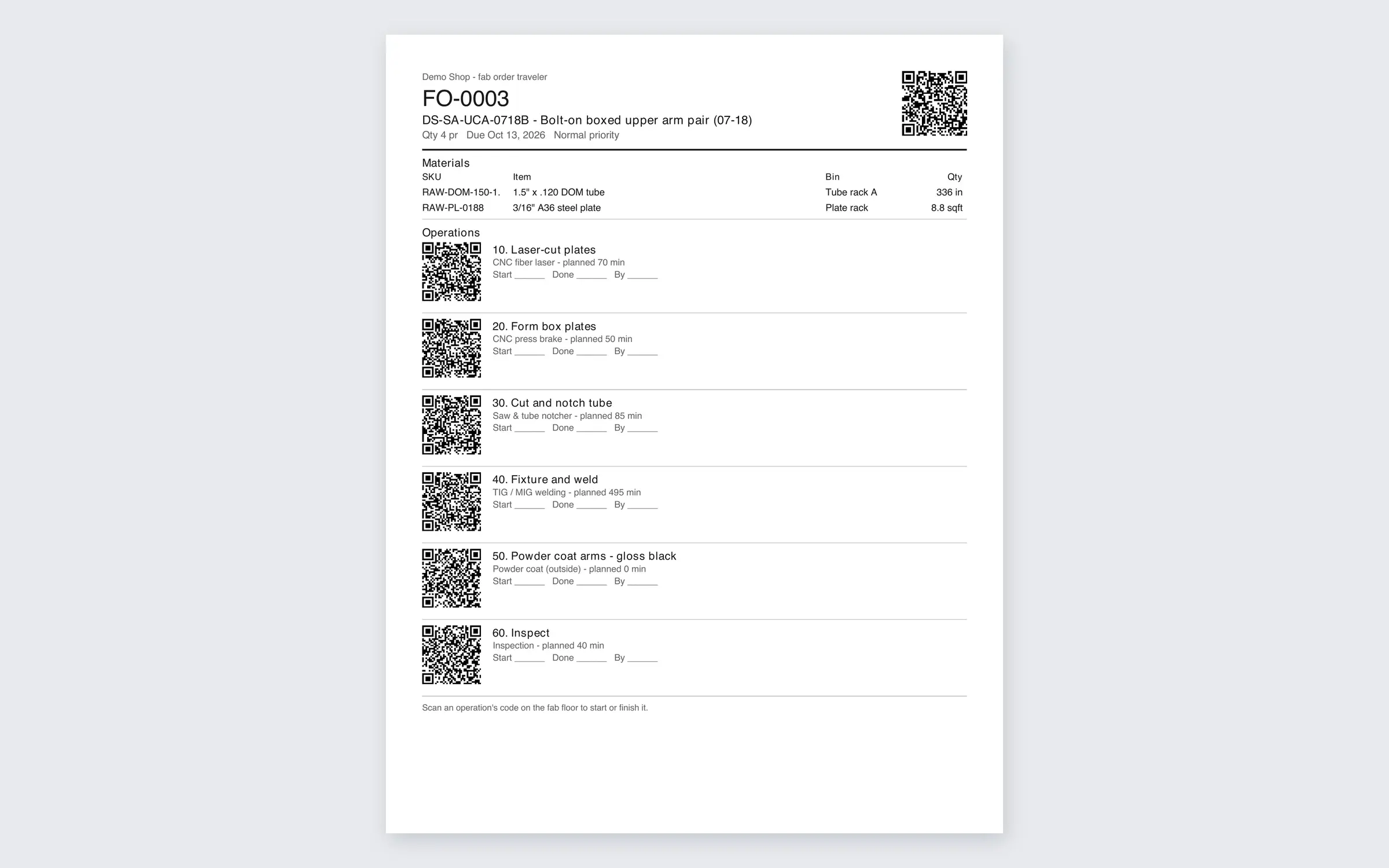
The traveler on the cart is the only record of where a job is. When it's lost or illegible, so is the job's history.
Hours nobody can attribute
People clock in for the day, but the time spent on each operation is a guess written up at the end of the week, if at all.
ERP-sized software for a shop-sized team
Big job shop ERPs come with long implementations and screens built for planners. A small shop needs the floor to actually use it.
How ShopJig handles it
What ShopJig does about it
- 01
BOMs, routings and work orders
Define the materials and operations for repeat parts once; work orders come from them, with material pulled from stock. One-off orders don't need a BOM.
Fab orders & travelers - 02
Travelers with a QR code per operation
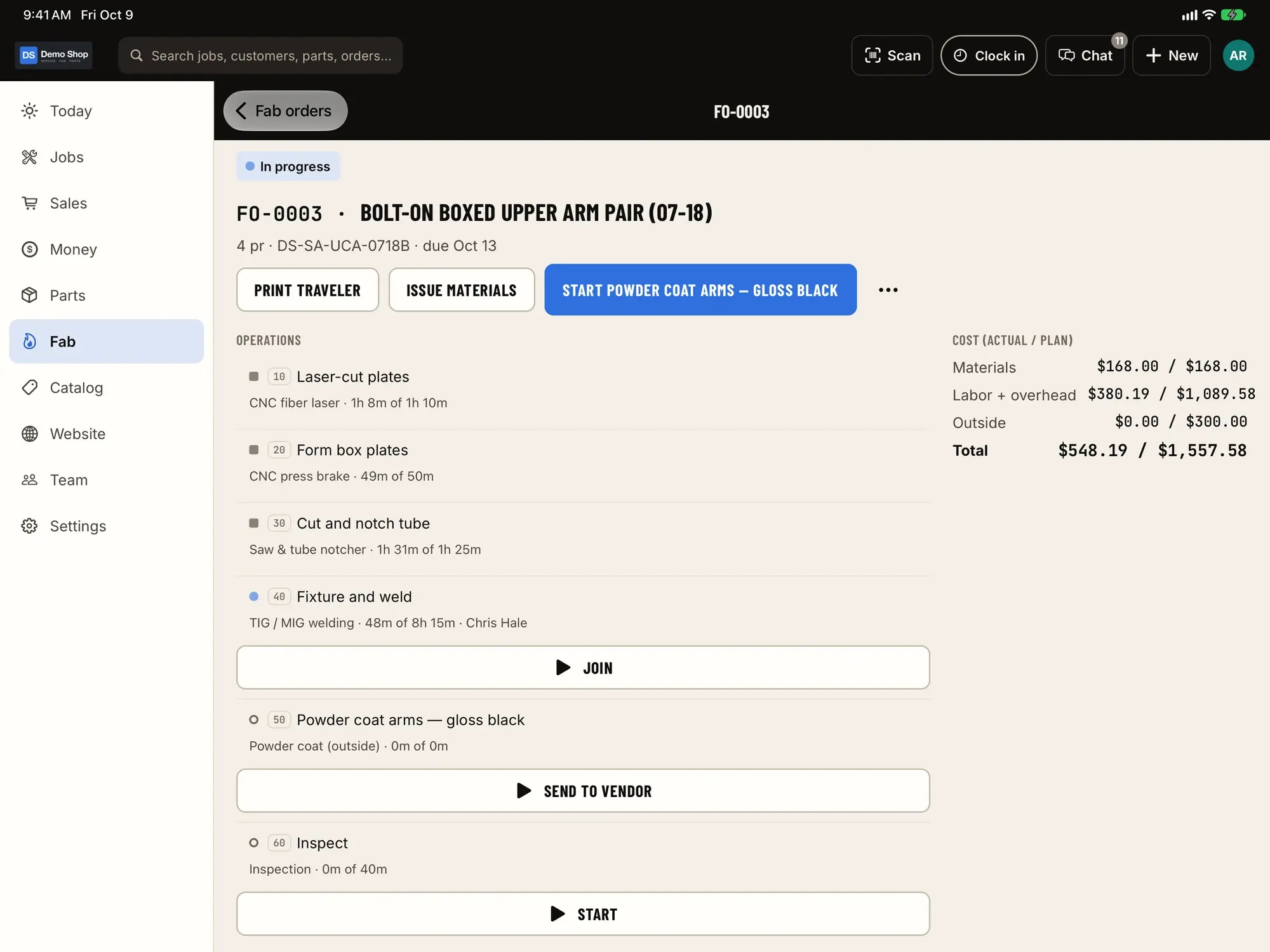
Print a traveler for the cart. Operators scan it on an iPad or phone to start and stop the operation they're on.
Scanning & labels - 03
Operation time inside the day clock
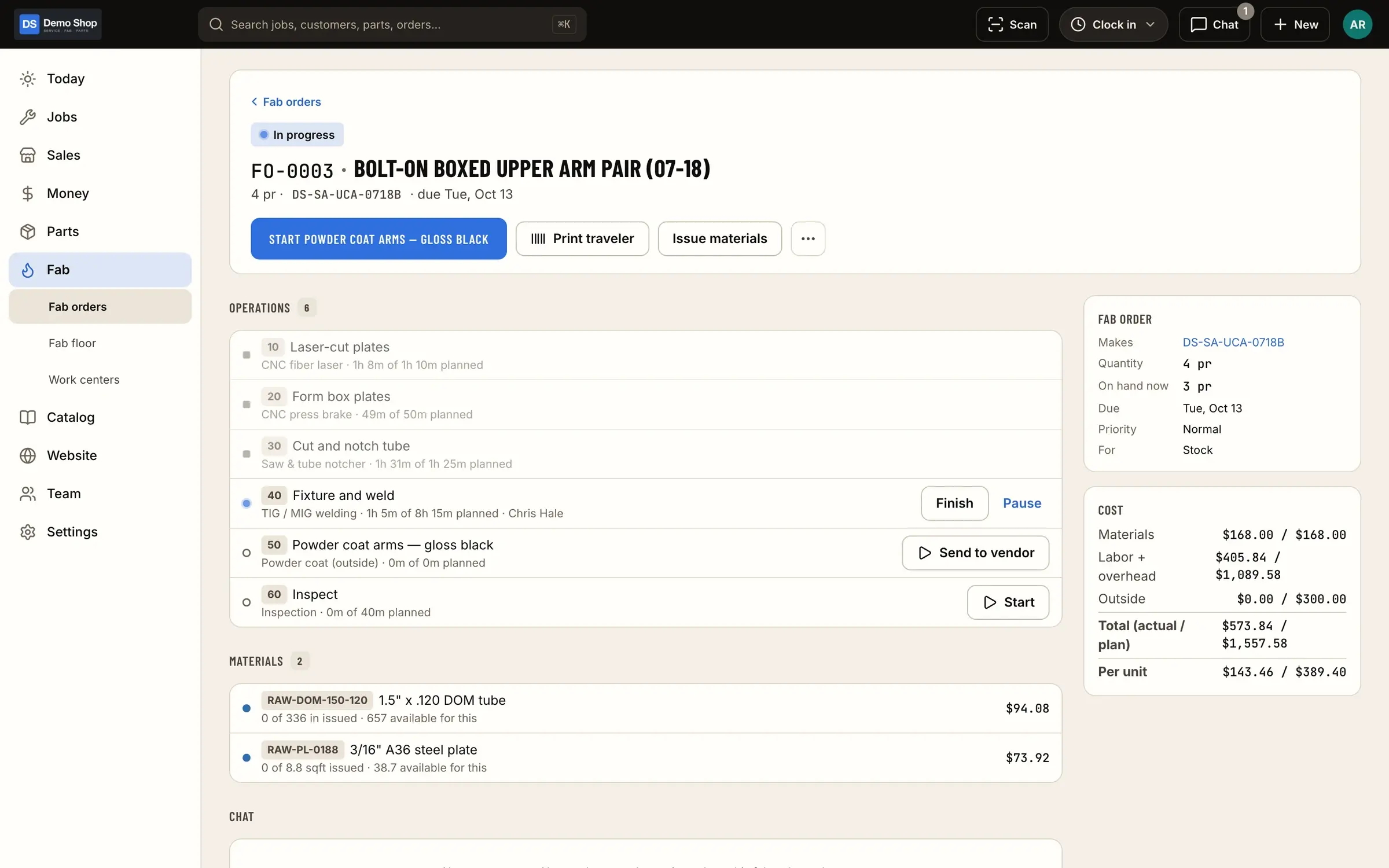
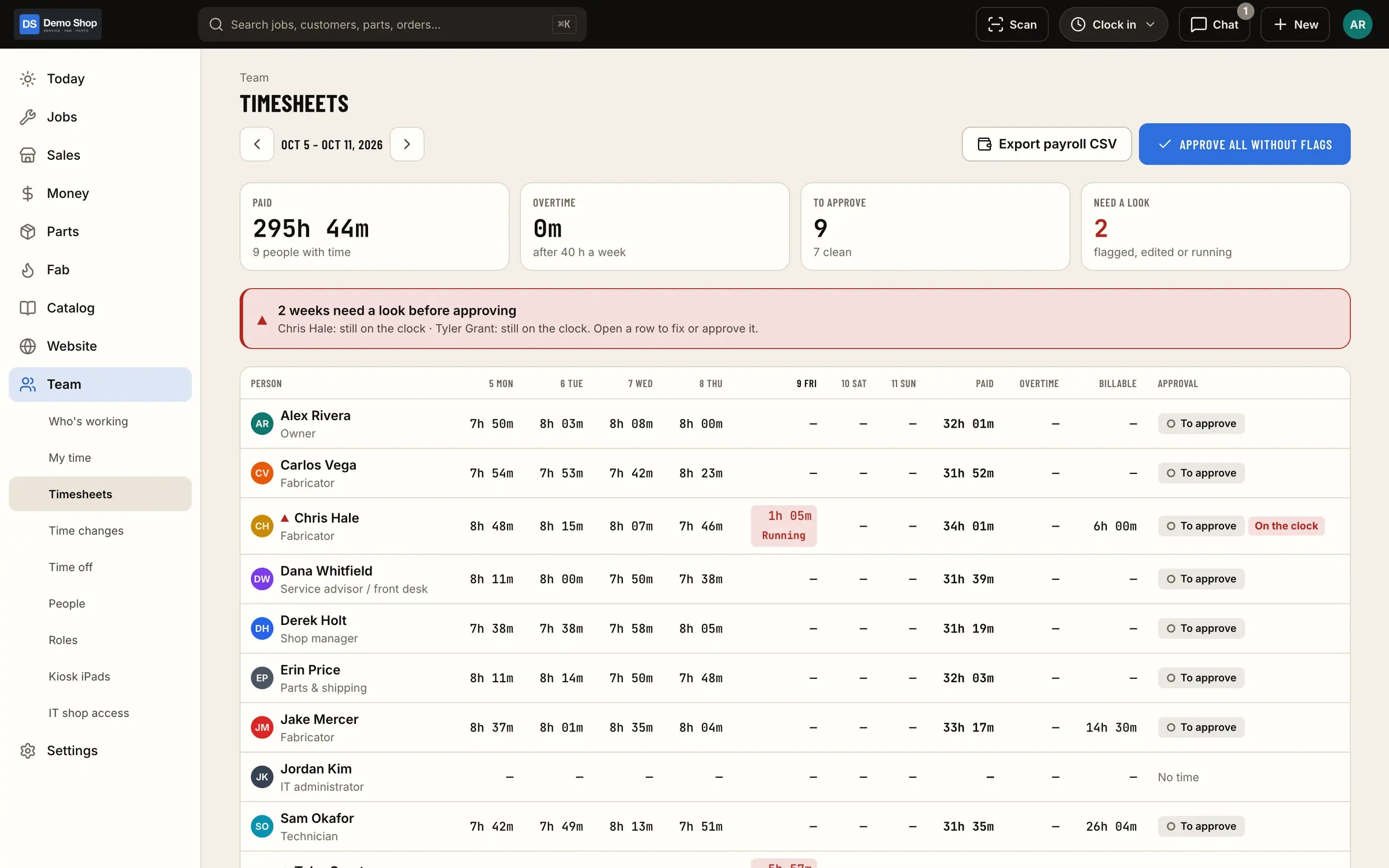
Time on each operation lands on the order and sits inside the operator's clock-in for the day, so job cost and payroll hours come from the same record.
Time clock & payroll - 04
Actual vs standard cost
Each order shows what the material and time actually cost against the standard, so you can see which parts and which quotes need another look.
Fab orders & travelers - 05
Purchasing from one costed ledger
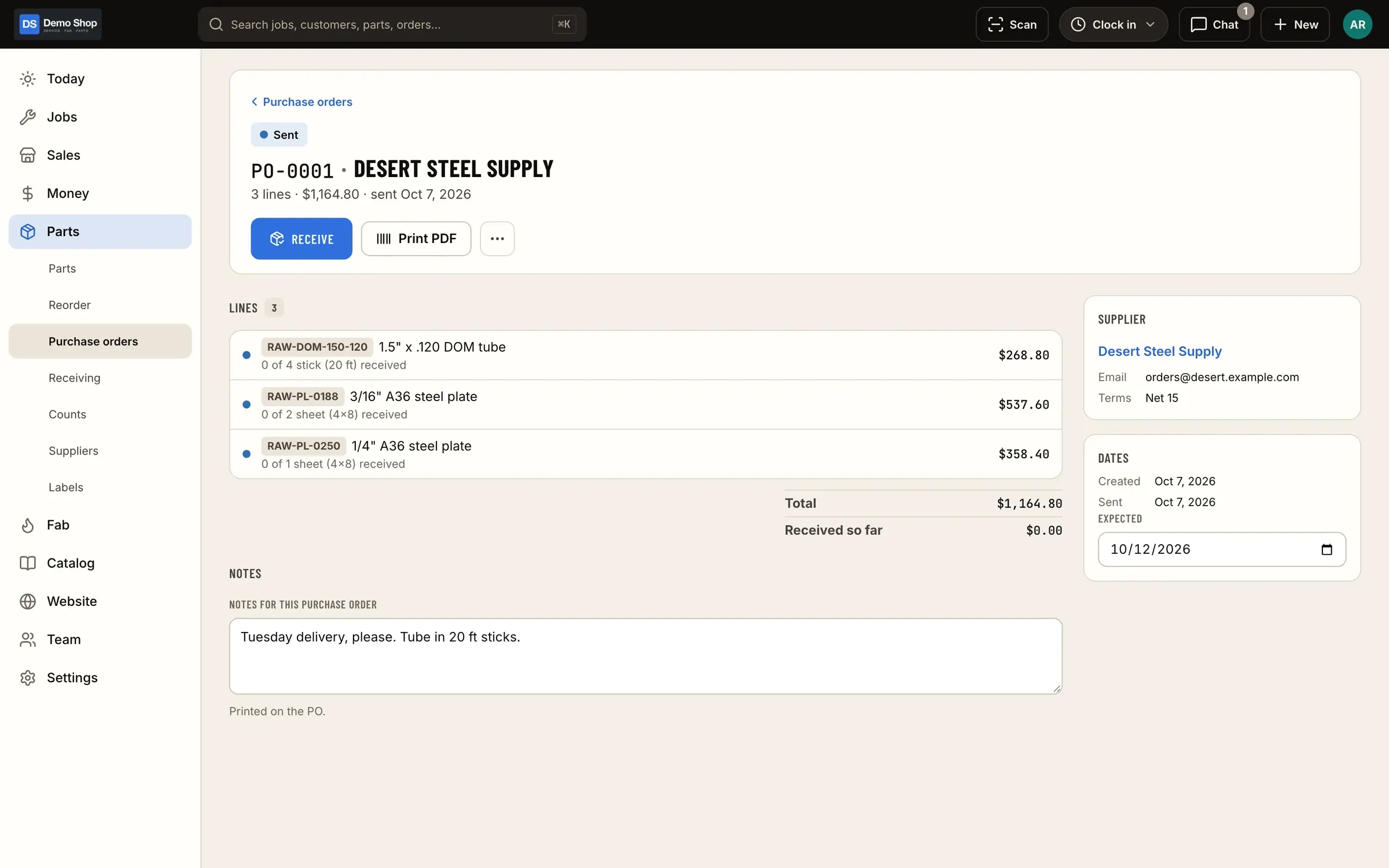
Stock by location, reorder points, purchase orders, receiving and supplier price lists, with every movement costed.
Parts & inventory - 06
Invoices and QuickBooks Online
Invoice with a pay link when the batch ships, and post each day's totals to QuickBooks Online with your classes and locations.
Accounting (QuickBooks)
What it looks like
Real screens from ShopJig, with a demo shop's data and a neutral demo theme.
Is it a fit?
Who it suits
ShopJig fits small machine and job shops that run make-to-order work, want the floor on travelers and operation timing, and keep their books in QuickBooks Online. It’s especially at home in shops that also do fabrication or sell parts, because the same system runs the job board, the stock and an online store.
Who it doesn’t
If you need capacity scheduling, MRP, machine monitoring, or quality records for regulated work, you need a manufacturing ERP. We’d rather say so up front; see the JobBOSS² and Fulcrum comparisons for where those tools are strongest.
New to travelers? Our job traveler template covers what to put on one.
For a walk through a typical day, see ShopJig for machine and job shops.
The features behind it
Fab orders & travelers
BOMs and routings, work orders from paid orders, shop-floor timing per operation, printable travelers with QR codes and actual vs standard cost. One-off fab orders too.
Learn moreTime clock & payroll
Clock in for the day, log job time inside it, track shop time, handle time-change and time-off requests with approval, run a shared iPad kiosk with PINs, and export payroll with PTO.
Learn moreParts & inventory
A costed stock ledger with stock by location, counts and reorder points, a "What do we need?" list, purchase orders and receiving, supplier price lists and drop ship.
Learn moreScanning & labels
Scan VINs and barcodes with the camera or a Bluetooth/USB scanner, and print part, bin and 4×6 shipping labels from the phone or the web.
Learn moreAccounting (QuickBooks)
Built for QuickBooks Online: a costed ledger and internal journal, sales sent with the customer on each, daily summary journal entries for stock and cost of goods, classes and locations, a daily tie-out, a sales export and Stripe Tax.
Learn moreEstimates, invoices & payments
Estimates and invoices, a Stripe card reader at the counter, cash, check, Zelle and financing, pay links, a card fee on credit only, gift cards, deposits, credits, refunds with restocking fees, expenses with receipts, and reports with real margins.
Learn moreQuestions
Is ShopJig a job shop ERP?
It covers the core of one for a small shop (work orders, BOMs, routings, travelers, operation time, purchasing, invoicing) but not capacity scheduling, MRP or a quality management system.
Does it handle AS9100 or ISO quality records?
No. ShopJig has an audit log of who changed what, but it is not a quality management system.
Can it quote machining from a CAD file?
No. The instant quoting module prices laser cutting and press-brake work from DXF and STEP files; it doesn't quote CNC machining.
Does it connect to my machines?
No. Time comes from operators starting and stopping operations, not from machine monitoring.
Keep reading
Solutions
- Fabrication shopsOne-off and repeat fab work, travelers with QR codes, operation timing, real cost per part, and the invoice and books at the end.
- Shop time clockOne clock for attendance and job time, a shared iPad kiosk with PINs, approvals for changes and time off, and payroll export with PTO.
- QuickBooks Online shopsA costed ledger in the shop; sales, bills and daily summary entries in QuickBooks Online; classes and locations; and a daily tie-out.
Guides
Early access
Become a founding shop
We're opening ShopJig to a small group of founding shops. You get a walkthrough on your own kind of work, hands-on help getting set up, and a direct line to the people building it. Pricing isn't public yet.