Time clock & job time
A shop time clock app that tracks the day and the job
Most shops end up with two clocks that never agree. A time clock app for payroll that knows nothing about jobs, and job times in the shop software that know nothing about attendance. ShopJig uses one clock for both.
The problem
What gets in the way
Payroll hours and job hours don't match
When attendance and job time live in different systems, labor cost on the job is a guess, and nobody can say where the rest of the day went.
"I forgot to clock out"
Somebody fixes the hours by hand, quietly. Then nobody trusts the hours, the payroll or the job cost.
Not everyone has a phone on them
Techs and fabricators don't want to dig out a personal phone with greasy hands, and some shouldn't have to.
Time off by text message
Requests come in by text and sticky note, and the schedule finds out on the day.
How ShopJig handles it
What ShopJig does about it
- 01
Clock in for the day, then onto the work
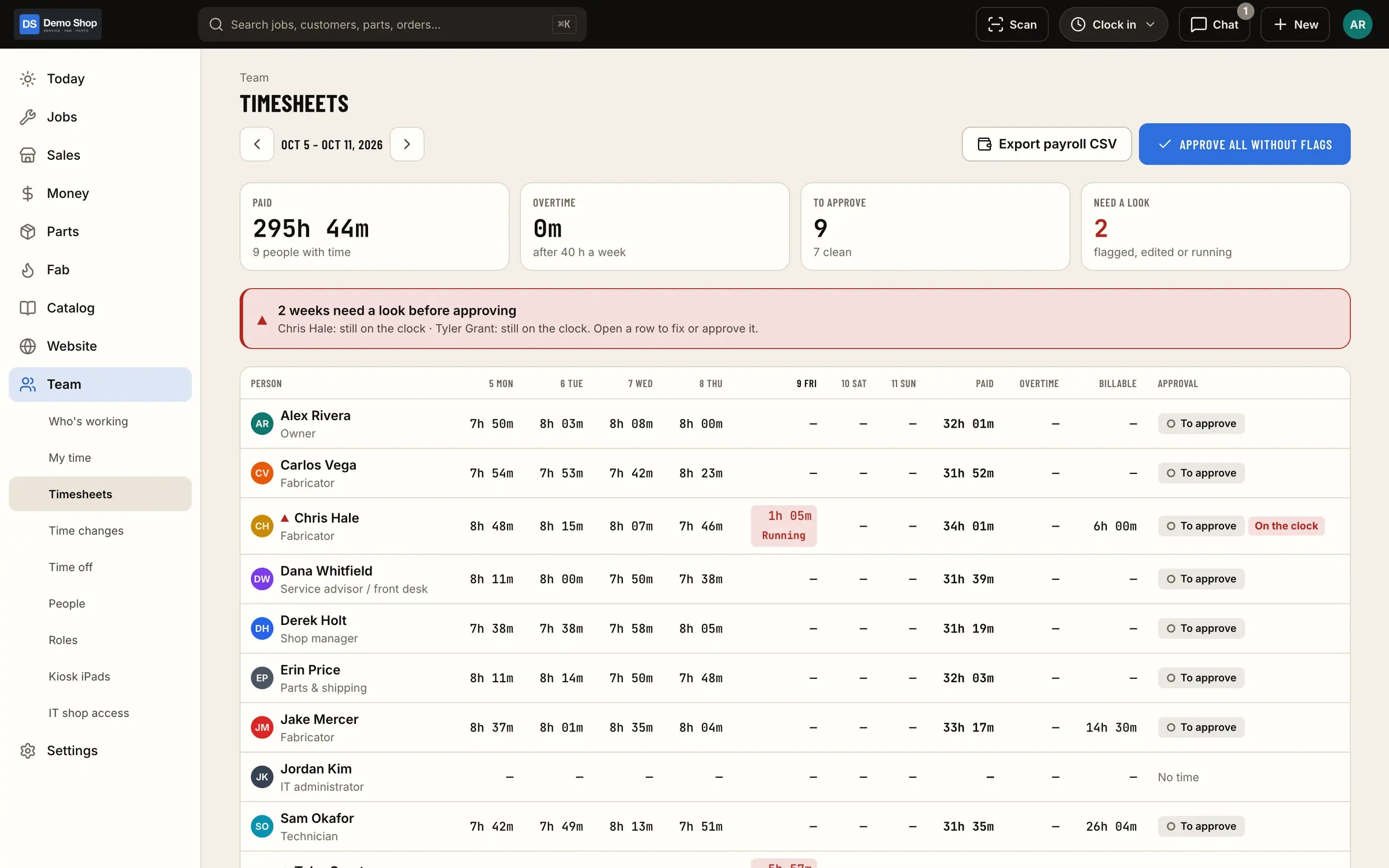
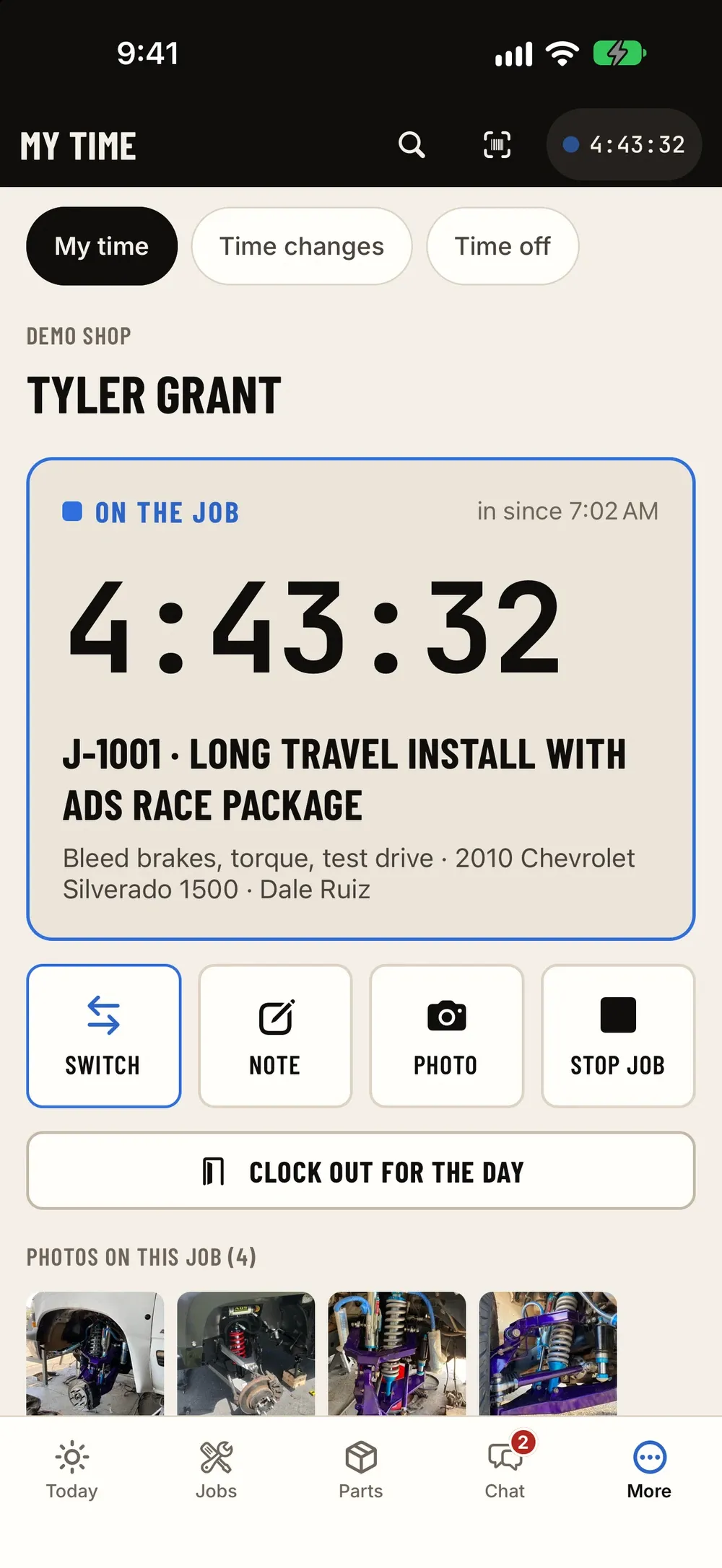
People clock in once for the day, then onto a job or a fab operation. Time that isn't on a job is shop time, and you can see both.
Time clock & payroll - 02
A shared iPad kiosk with PINs
Put an iPad on the wall. Each person clocks in and out with their own PIN, without a personal phone.
Time clock & payroll - 03
Or clock from the iPhone
People who carry a phone can clock in, switch jobs and clock out from the iPhone app.
- 04
Time-change requests with approval
Missed punch? The person requests a change and a manager approves or declines it. Nobody edits hours quietly.
Time clock & payroll - 05
Time-off requests
Request time off in the app; a manager approves or declines it.
- 06
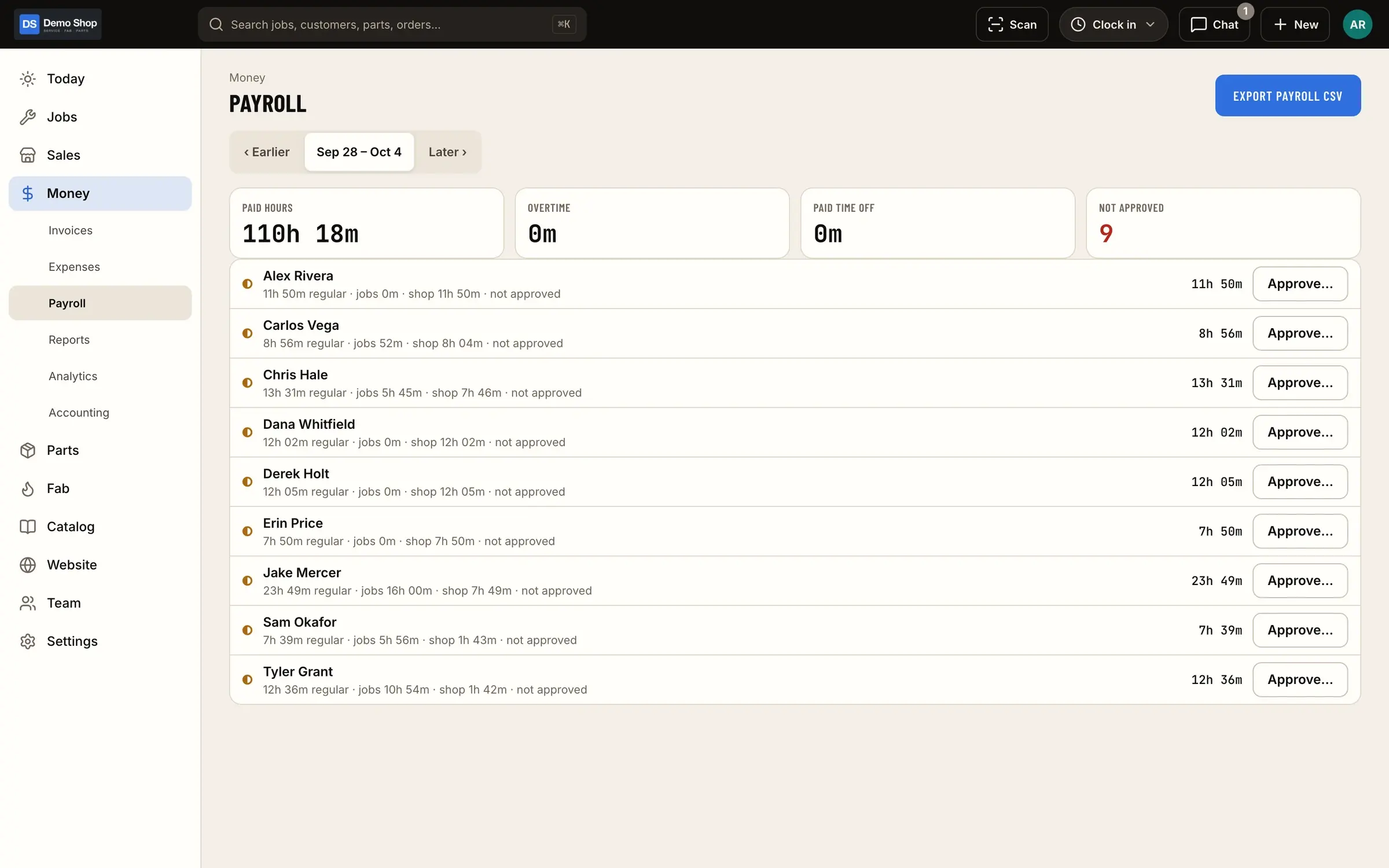
Payroll export and job cost from the same hours
Export hours and PTO for the pay period for whoever runs payroll. The same job and operation time is part of each job's actual cost.
What it looks like
Real screens from ShopJig, with a demo shop's data and a neutral demo theme.
Is it a fit?
Three ways shops track time
A standalone time clock app handles attendance and payroll well, but it doesn’t know what job anyone was on, so job costing is done separately, or not at all.
The job clock in shop software records time against repair orders or work orders, but attendance, time off and the payroll export often live somewhere else, and the two sets of hours have to be reconciled.
One clock for both is how ShopJig works. The day clock is the attendance record, and job and operation time sit inside it. Payroll export and job costing come from the same hours, so the question “where did the other three hours go?” has an answer: shop time, visible on the same screen.
What it doesn’t do
ShopJig doesn’t run payroll or file taxes; it hands your payroll provider the hours and PTO. It isn’t a standalone time clock either: the clock is part of the whole shop system, with jobs, fab orders and invoices.
For the thinking behind it, read day clock vs job clock.
The features behind it
Time clock & payroll
Clock in for the day, log job time inside it, track shop time, handle time-change and time-off requests with approval, run a shared iPad kiosk with PINs, and export payroll with PTO.
Learn moreJobs & board
Every job on one board, from scheduled to ready, with appointments, standard job packages, estimates sent by text or email, approval by link and a hand-over that invoices, takes payment and closes the job.
Learn moreFab orders & travelers
BOMs and routings, work orders from paid orders, shop-floor timing per operation, printable travelers with QR codes and actual vs standard cost. One-off fab orders too.
Learn moreTeam, roles & chat
Roles and permissions the owner can edit, two-step login for owners and office, shop iPads that open with each tech's PIN, an audit log, team chat with @mentions and job threads, and sign-in by phone code, email, Google or Apple.
Learn moreQuestions
Does ShopJig run payroll?
No. It exports hours and PTO for the pay period so payroll can be run in your payroll service.
Can techs clock in on their own phones?
Yes, from the iPhone app, or from a shared iPad kiosk with their own PIN.
How is job time different from the day clock?
The day clock says who's here and for how long; job and operation time inside it says what they worked on. Time not on a job shows as shop time.
Can managers see who's in right now?
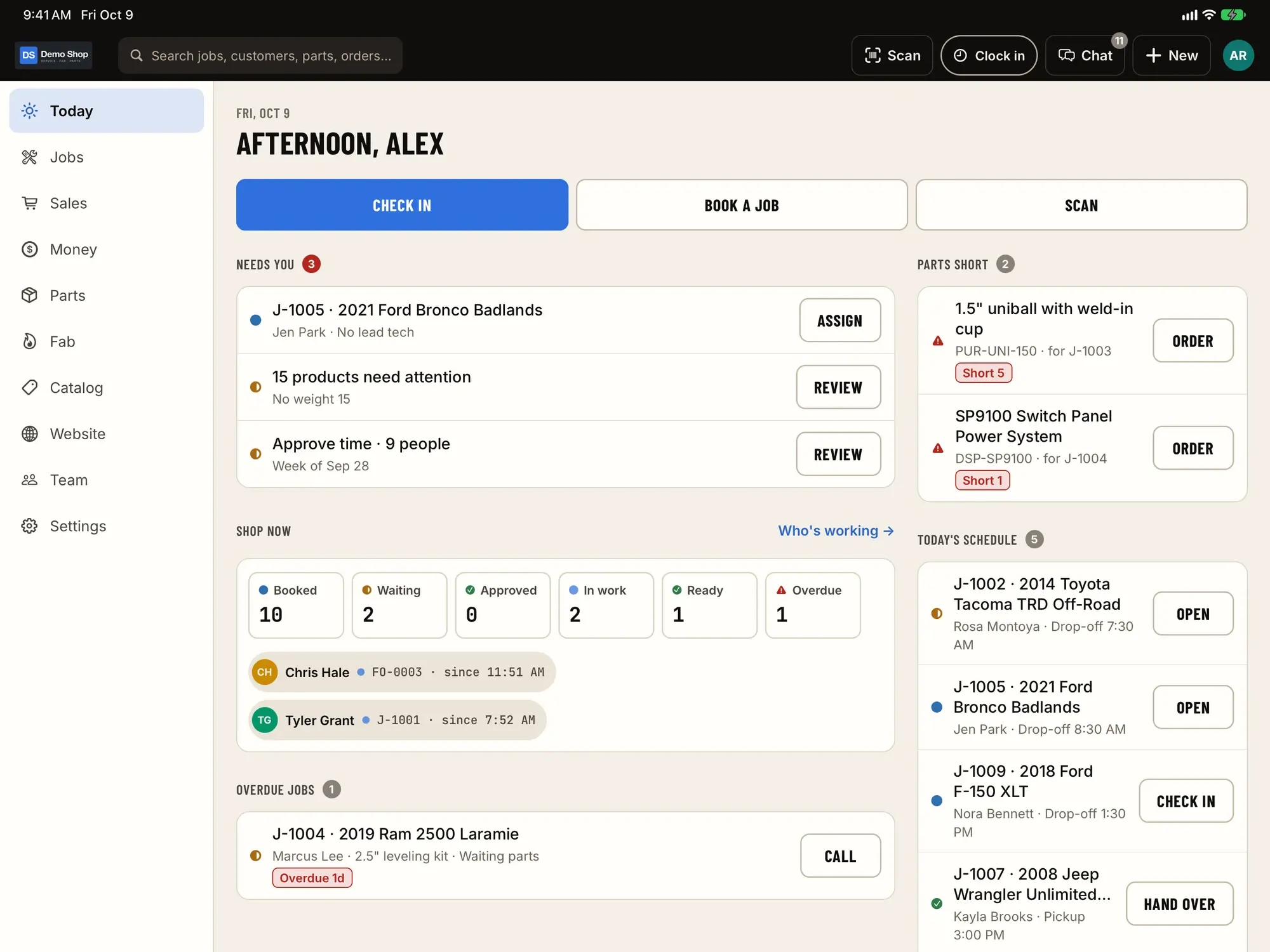
Yes. The time clock shows clock-ins, job time and shop time for the team, and the Today screen shows who's in.
Keep reading
Solutions
- Performance & build shopsLong builds on one job, custom fab work with real cost, deposits and add-on approvals, parts sold in the shop and online.
- Machine & job shopsWork orders, travelers with QR codes, operation timing and actual vs standard cost, with purchasing, invoicing and QuickBooks Online.
- QuickBooks Online shopsA costed ledger in the shop; sales, bills and daily summary entries in QuickBooks Online; classes and locations; and a daily tie-out.
Guides
Early access
Become a founding shop
We're opening ShopJig to a small group of founding shops. You get a walkthrough on your own kind of work, hands-on help getting set up, and a direct line to the people building it. Pricing isn't public yet.