Performance & custom build shops
Performance shop software for builds, fab work and parts sales
A performance shop isn't a quick-lube with louder customers. Builds run for weeks, half the parts are custom, the scope grows, and parts go out over the counter and online. ShopJig keeps all of it on one job, from the estimate and deposit to the final invoice.
The problem
What gets in the way
Builds that outlive the paperwork
A build that's in for three weeks collects parts orders, fab work, extra approvals and a dozen conversations. In repair-order software built for same-day jobs, that history ends up in notes, texts and somebody's memory.
Custom parts nobody has costed
You quote the brackets, the bumper or the cage from experience. Without timing and material on each piece, you never find out which ones made money.
Scope that grows mid-build
"While it's apart, can you…" is half the business. Each add-on needs a price and a yes from the customer before the work happens, or it turns into an argument at pickup.
Two sets of parts, two sets of numbers
The counter, the bays and the online store sell the same parts. When they run on separate systems, stock is wrong somewhere and the books never quite tie out.
How ShopJig handles it
What ShopJig does about it
- 01
One job holds the whole build
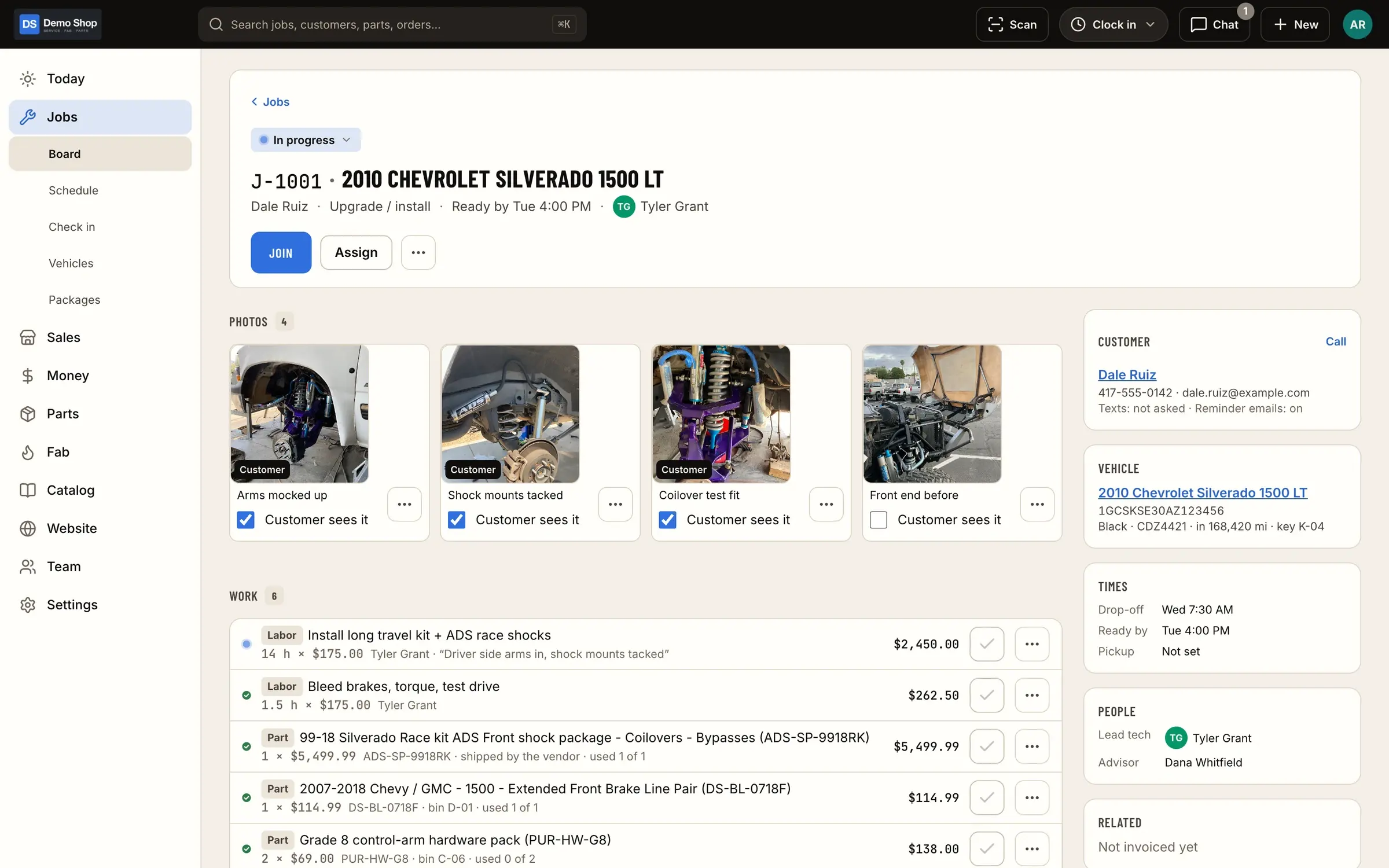
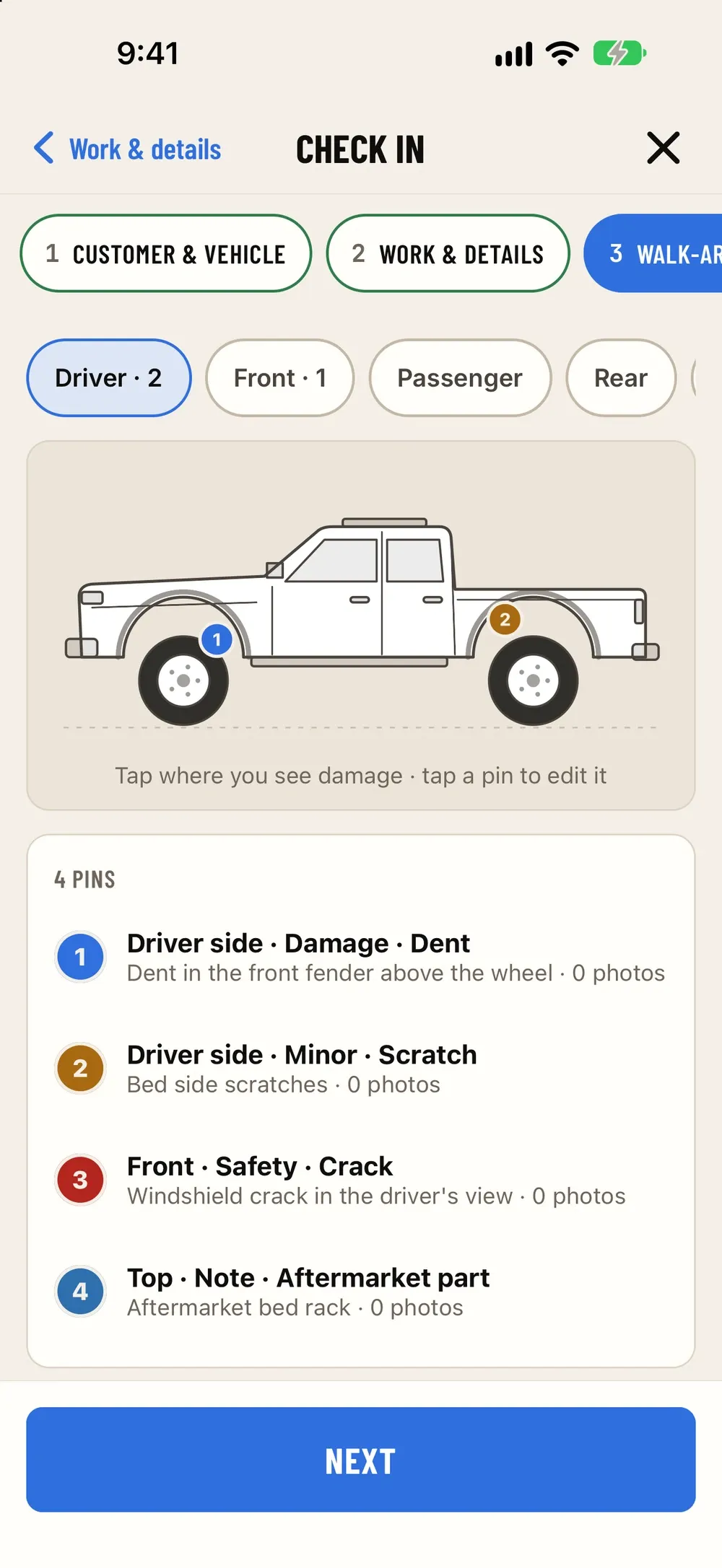
Vehicle, concern, check-in photos, estimate, every part, every fab order, all the time clocked and the job's chat thread stay on one job, however long it's in the shop.
Jobs & board - 02
Estimates, deposits and add-on approvals
Build estimates from parts, labor and standard job packages, take a deposit up front, and send changes for approval by link so every yes is recorded on the job.
Estimates, invoices & payments - 03
Fab orders for the custom pieces
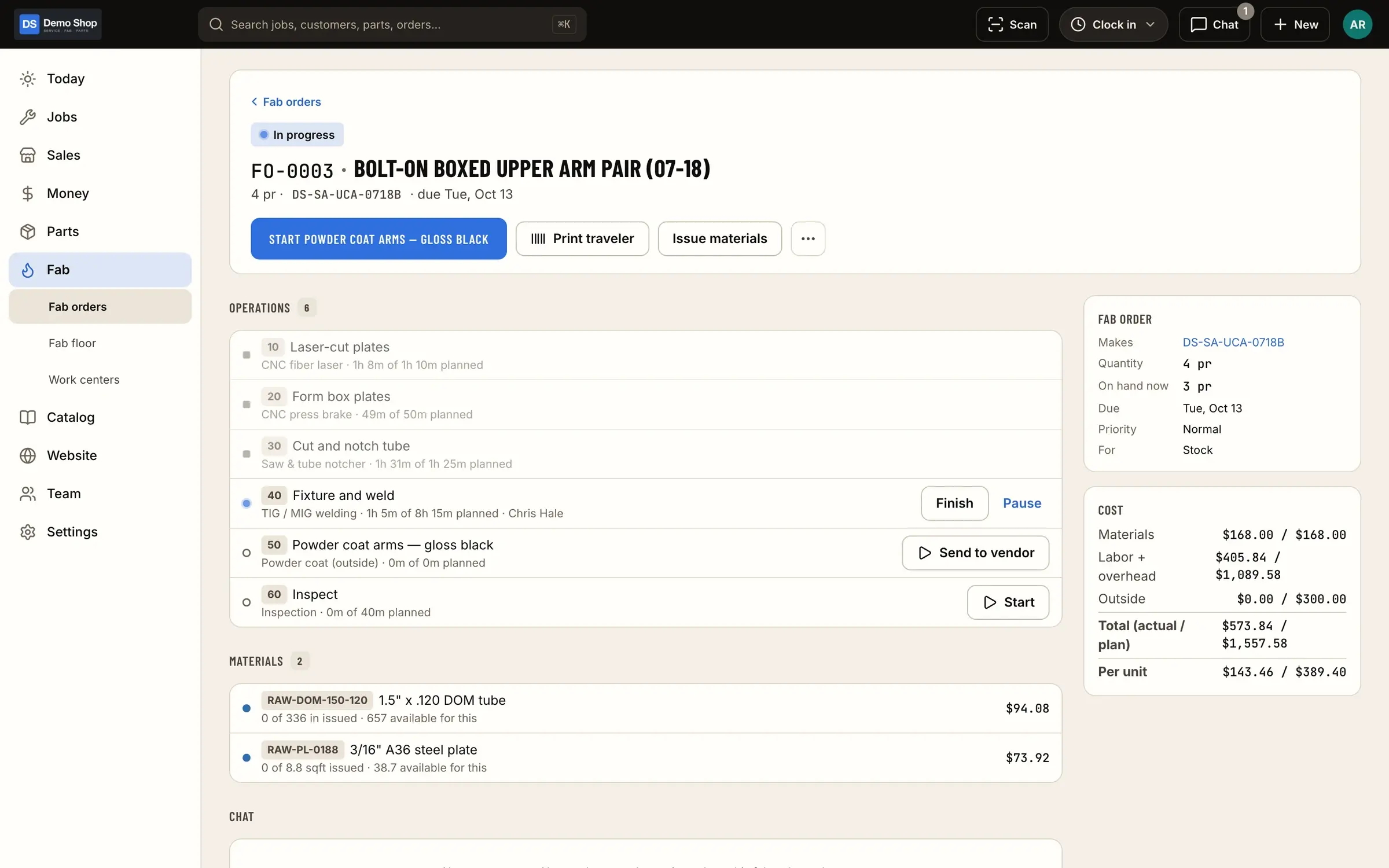
Raise a one-off fab order for the custom parts on a build, or use BOMs and routings for the ones you make again and again. Travelers go to the floor and operation time is recorded.
Fab orders & travelers - 04
Parts pulled, ordered and waiting
Pull parts from a costed stock ledger with a scan, put what's missing on a purchase order, and let the job sit in "waiting on parts" until they're received.
Parts & inventory - 05
Labor that's actually on the job
Techs clock in for the day and onto the job or the fab operation they're working, so the build shows the hours it really took.
Time clock & payroll - 06
The parts you sell, online too
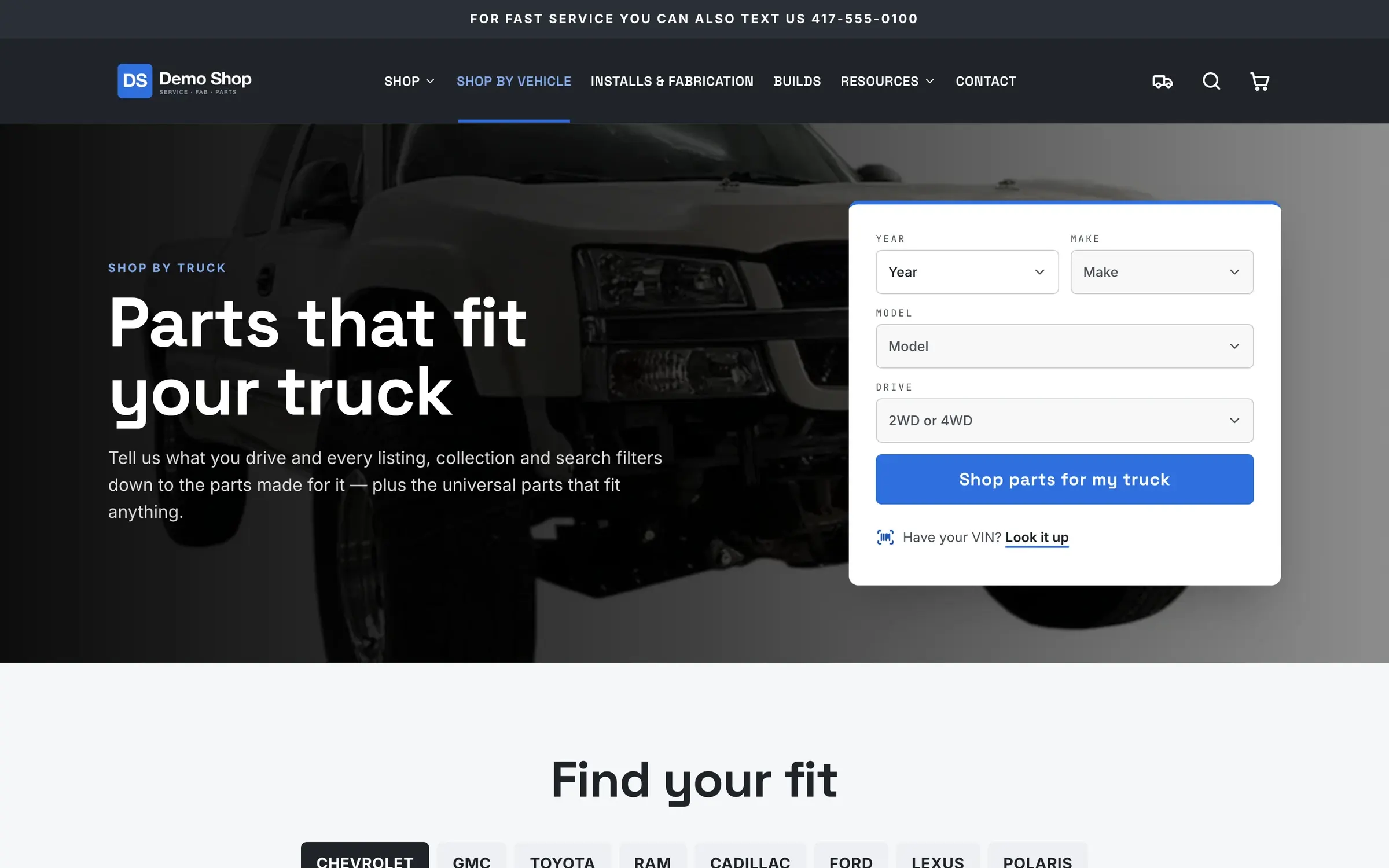
Your own website and store sell from the same catalog and stock as the counter, with fitment and "my truck" lookup, and a paid built-to-order part creates a work order.
Website & store
What it looks like
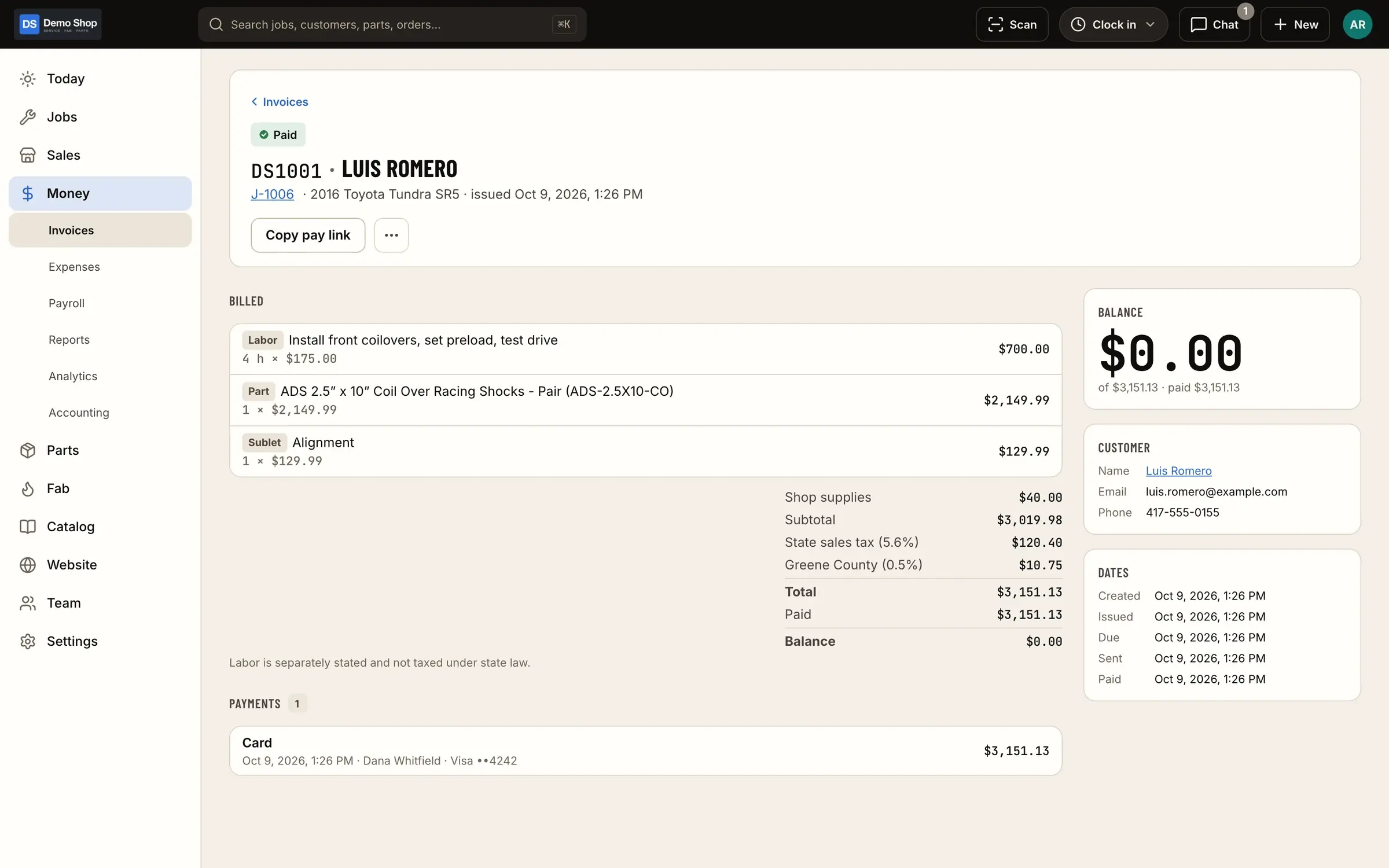
Real screens from ShopJig, with a demo shop's data and a neutral demo theme.
Is it a fit?
Who it suits, and who it doesn’t
ShopJig is a good fit if your shop does builds, not just repairs: engine and suspension work, lifts and armor, restorations, custom fabrication alongside installs, and a parts business on the side or online. It was built inside a working off-road fabrication shop that does exactly that mix, and it runs that shop every day.
It’s a weaker fit if your shop is mostly maintenance and diagnosis, where the day revolves around a labor guide, parts-catalog ordering and inspection reports texted to the customer. ShopJig doesn’t have those, and a repair-focused system will serve you better. The comparison pages lay out the differences with sources.
If you run lifted trucks and 4x4 builds, see off-road shop software.
For a walk through a typical day, see ShopJig for auto repair and performance shops.
The features behind it
Jobs & board
Every job on one board, from scheduled to ready, with appointments, standard job packages, estimates sent by text or email, approval by link and a hand-over that invoices, takes payment and closes the job.
Learn moreFab orders & travelers
BOMs and routings, work orders from paid orders, shop-floor timing per operation, printable travelers with QR codes and actual vs standard cost. One-off fab orders too.
Learn moreEstimates, invoices & payments
Estimates and invoices, a Stripe card reader at the counter, cash, check, Zelle and financing, pay links, a card fee on credit only, gift cards, deposits, credits, refunds with restocking fees, expenses with receipts, and reports with real margins.
Learn moreParts & inventory
A costed stock ledger with stock by location, counts and reorder points, a "What do we need?" list, purchase orders and receiving, supplier price lists and drop ship.
Learn moreWebsite & store
The shop's own website and store on the same system: fitment, "my truck" and VIN lookup, add-ons and required questions, a checkout with address suggestions and financing, gift cards, customer accounts, guest order lookup, a page builder, dealer pricing, SEO and your own branding.
Learn moreTime clock & payroll
Clock in for the day, log job time inside it, track shop time, handle time-change and time-off requests with approval, run a shared iPad kiosk with PINs, and export payroll with PTO.
Learn moreQuestions
Is ShopJig built for performance shops or general repair?
It covers repair work (check-in, the board, estimates, invoices) but it was built in a shop that also fabricates and sells parts, so long builds, custom fab and parts sales are where it's strongest.
Does ShopJig have a labor guide or parts-catalog ordering?
No. There's no third-party labor guide and no parts-catalog ordering integration. You save your own standard job packages, keep supplier price lists, and order on purchase orders.
Can customers approve extra work mid-build?
Yes. Send the estimate or change by link; the customer approves it from the link or in their customer portal, and the approval is recorded on the job.
Can I take a deposit on a build?
Yes. Take a deposit up front and it's applied to the invoice at the end, along with any credits.
Keep reading
Solutions
- Fabrication shopsOne-off and repeat fab work, travelers with QR codes, operation timing, real cost per part, and the invoice and books at the end.
- Shop time clockOne clock for attendance and job time, a shared iPad kiosk with PINs, approvals for changes and time off, and payroll export with PTO.
- QuickBooks Online shopsA costed ledger in the shop; sales, bills and daily summary entries in QuickBooks Online; classes and locations; and a daily tie-out.
Guides
Early access
Become a founding shop
We're opening ShopJig to a small group of founding shops. You get a walkthrough on your own kind of work, hands-on help getting set up, and a direct line to the people building it. Pricing isn't public yet.